
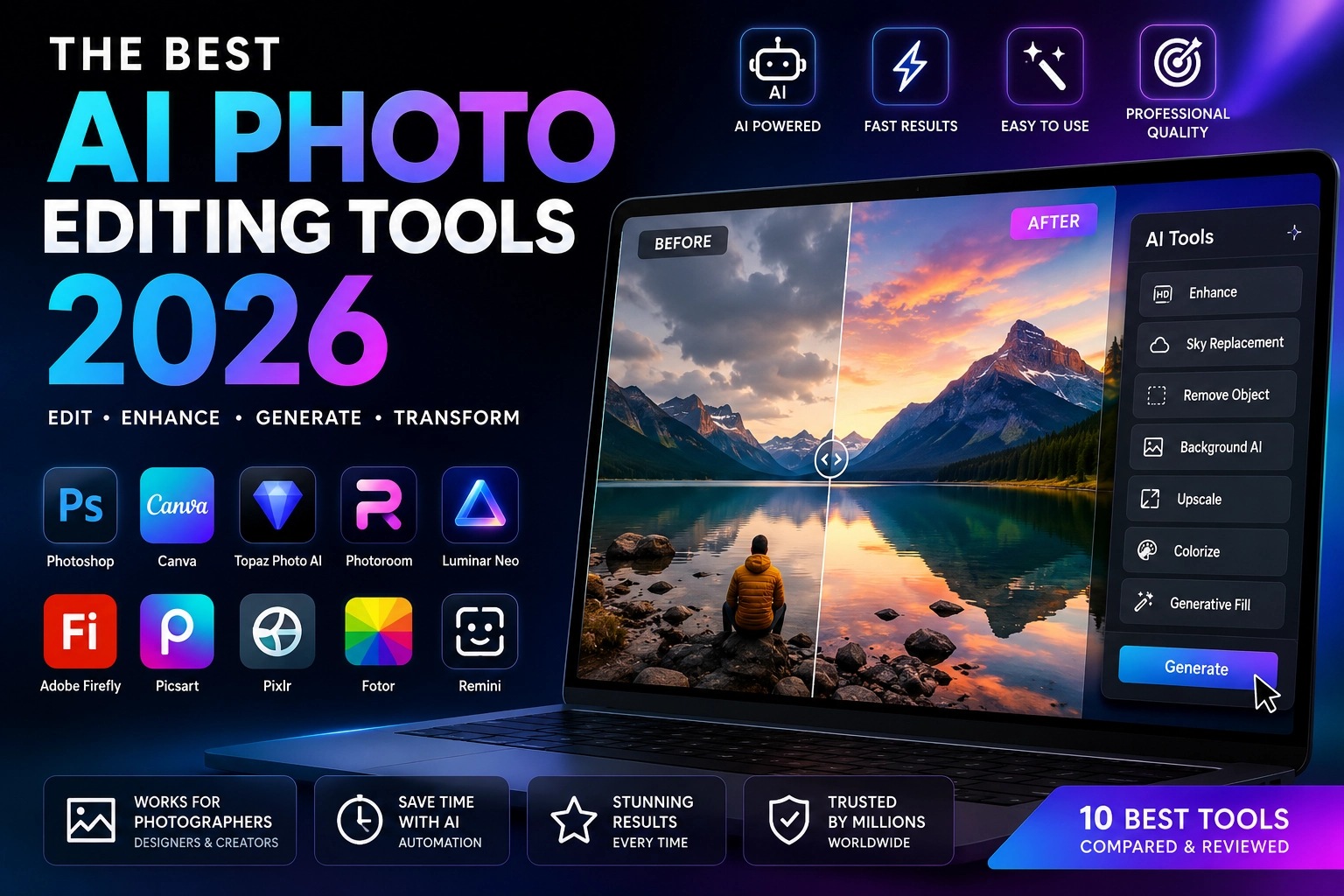
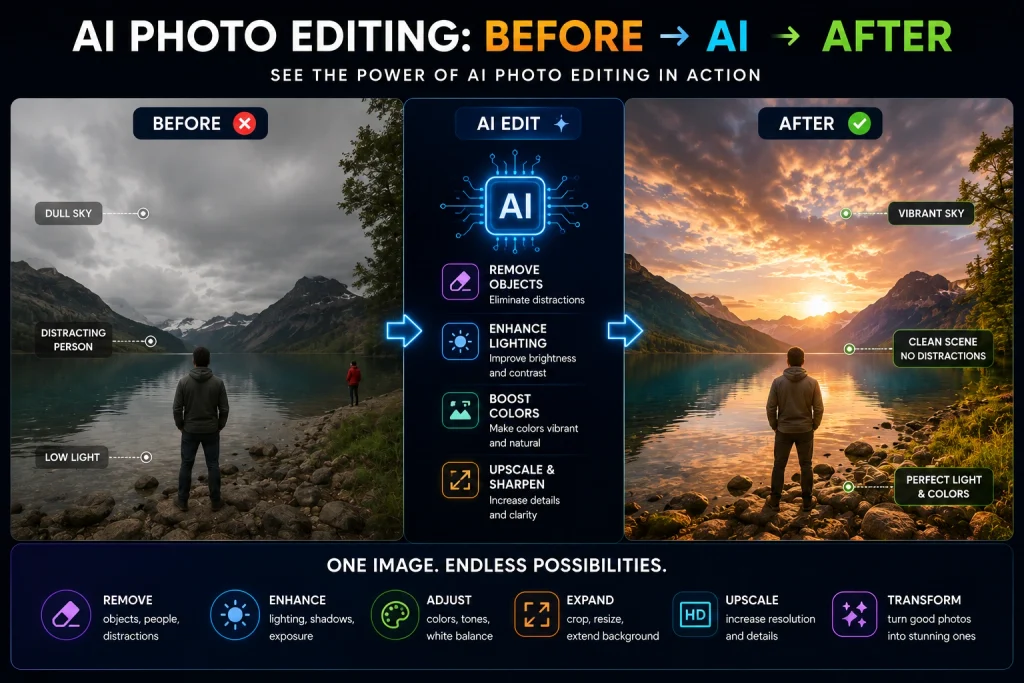
AI photo editing has become one of the fastest-growing areas of creative software in 2026. Instead of spending hours manually removing objects, fixing lighting, replacing backgrounds, sharpening blurry images, or expanding a photo, you can now let AI handle much of the work in seconds.
But with dozens of AI photo editors available today, choosing the right one can be difficult.
Some tools are built for professional photographers. Others are designed for beginners, social media creators, e-commerce sellers, or people who simply want to improve an old or blurry photo.
In this guide, we compare the best AI photo editing tools in 2026 based on their features, ease of use, editing capabilities, image enhancement, creative AI tools, and the type of user they are best suited for.
Quick Answer: Best AI Photo Editing Tools in 2026
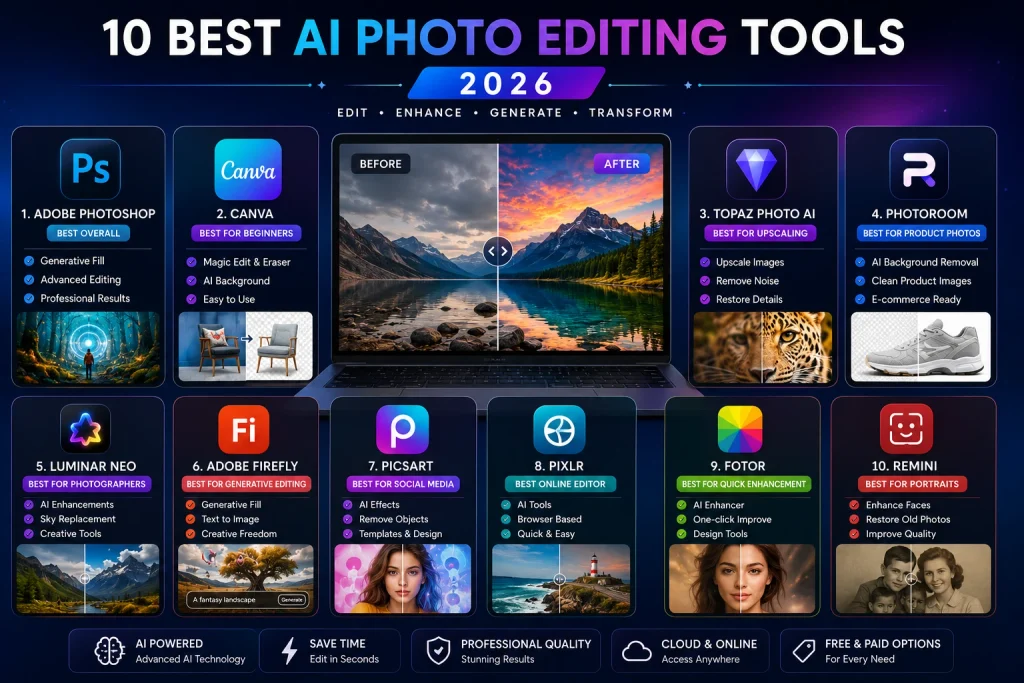
| AI Photo Editor | Best For | Ease of Use | AI Power | Free Option |
|---|---|---|---|---|
| Adobe Photoshop | Professional editing | ⭐⭐⭐ | ⭐⭐⭐⭐⭐ | Trial |
| Canva | Beginners & creators | ⭐⭐⭐⭐⭐ | ⭐⭐⭐⭐ | Yes |
| Topaz Photo | Upscaling & restoration | ⭐⭐⭐⭐ | ⭐⭐⭐⭐⭐ | Trial |
| Photoroom | Product photography | ⭐⭐⭐⭐⭐ | ⭐⭐⭐⭐ | Yes |
| Luminar Neo | Photographers | ⭐⭐⭐⭐ | ⭐⭐⭐⭐⭐ | Trial |
| Adobe Firefly | Generative editing | ⭐⭐⭐⭐ | ⭐⭐⭐⭐⭐ | Limited |
| Picsart | Social media | ⭐⭐⭐⭐⭐ | ⭐⭐⭐⭐ | Yes |
| Pixlr | Online editing | ⭐⭐⭐⭐⭐ | ⭐⭐⭐⭐ | Yes |
| Fotor | Quick enhancement | ⭐⭐⭐⭐⭐ | ⭐⭐⭐⭐ | Yes |
| Remini | Portraits & old photos | ⭐⭐⭐⭐⭐ | ⭐⭐⭐⭐ | Limited |
Our top picks
- Best overall: Adobe Photoshop
- Best for beginners: Canva
- Best for upscaling: Topaz Photo
- Best for product photos: Photoroom
- Best for photographers: Luminar Neo
- Best for generative editing: Adobe Firefly
- Best for social media: Picsart
- Best online editor: Pixlr
- Best for quick enhancements: Fotor
- Best for portraits and old photos: Remini
What Is an AI Photo Editor?
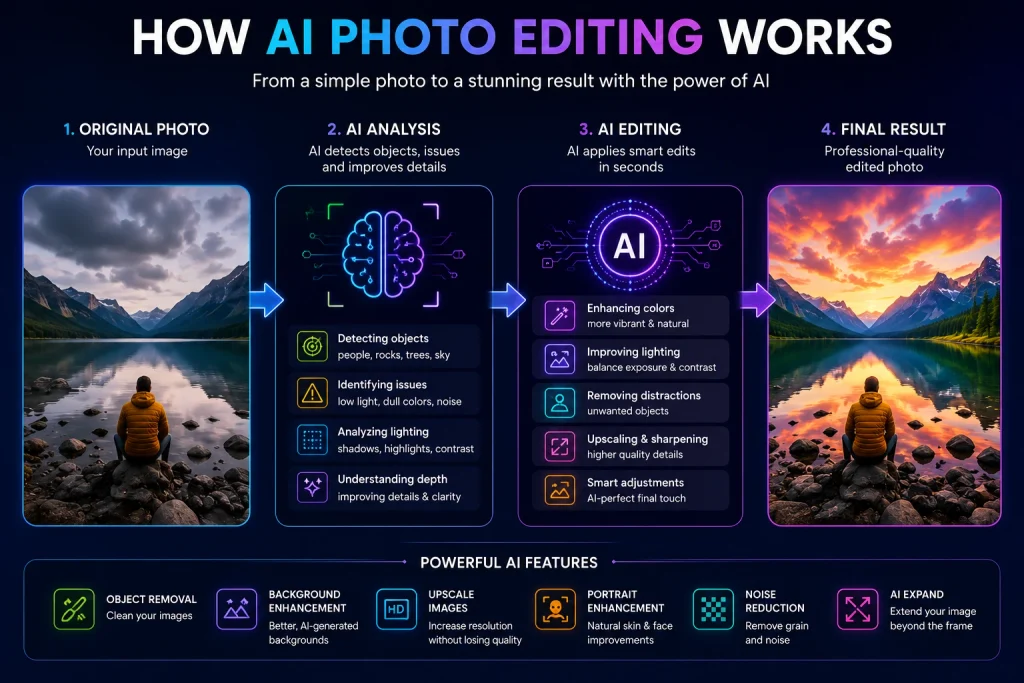
An AI photo editor is software that uses artificial intelligence to automate or simplify photo-editing tasks.
Traditional photo editing often requires manual selections, masks, layers, brushes, colour adjustments, and other technical steps.
AI can automate many of these processes.
For example, you can select an unwanted person and let AI reconstruct the background. You can also describe an object you want to add, replace a background with a generated scene, improve image resolution, or expand a photo beyond its original borders.
Modern AI photo editors commonly include features such as:
- AI object removal
- Background removal
- AI background generation
- Generative Fill
- Generative Expand
- Image upscaling
- Noise reduction
- Sharpening
- Portrait enhancement
- Colour correction
- Lighting adjustment
- Old-photo restoration
- AI image generation
- Text-prompt editing
The important difference is that AI photo editing isn’t simply about applying a filter. Modern systems can analyse parts of an image and generate or modify content while attempting to maintain consistency with the surrounding scene.
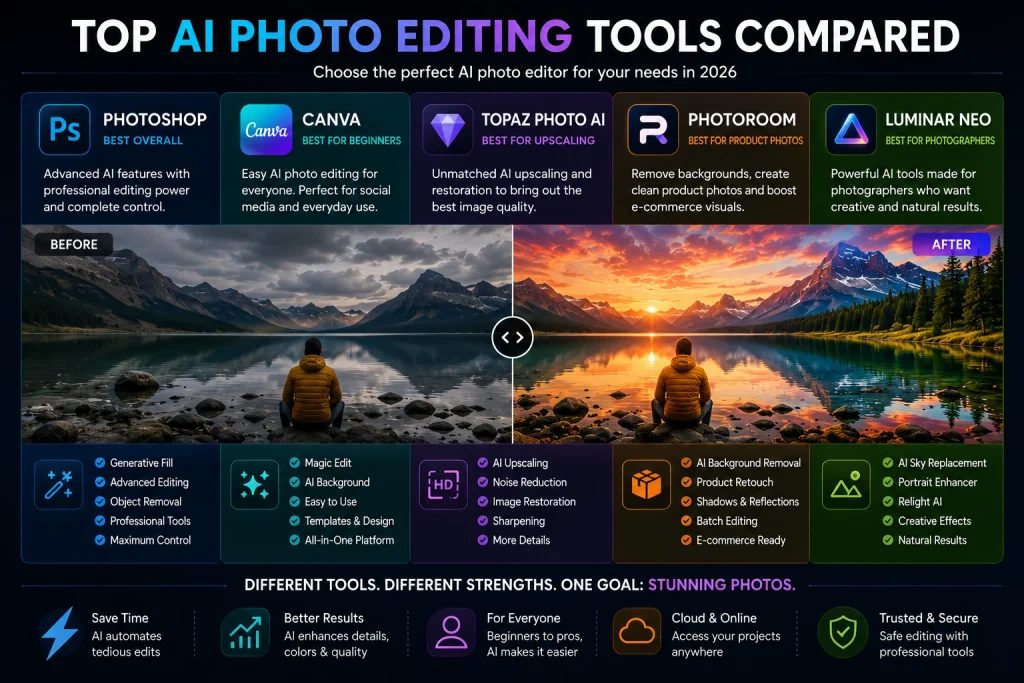
1. Adobe Photoshop — Best AI Photo Editor Overall
Best for: Professional photographers, designers, marketers and advanced users
If you want the most complete combination of AI-powered editing and professional control, Adobe Photoshop remains our top choice.
Photoshop has traditionally been one of the most powerful image-editing applications available, but its modern AI features make it much faster for many common editing tasks.
Its Generative Fill can add or remove content using text prompts, while Generative Expand can extend an image beyond its original boundaries. Adobe also provides AI-powered Remove capabilities and other machine-learning tools.
You can explore the current AI capabilities directly on Adobe Photoshop’s Generative Fill page.
Why Photoshop stands out
Photoshop gives you something many simple AI editors don’t: AI automation plus detailed manual control.
You can use AI to generate an initial result and then refine it manually using layers, masks, selections, colour adjustments and other professional tools.
For example, you can:
- Select an unwanted object.
- Ask AI to remove it.
- Generate several variations.
- Choose the best result.
- Refine the result manually.
Adobe’s documentation also shows how Generative Fill can add new objects using a simple text prompt.
Key features
- Generative Fill
- Generative Expand
- AI Remove
- AI-powered editing
- Professional retouching
- Layers and masks
- Advanced colour correction
- Detailed selection tools
- Photoshop on the web
- Mobile editing
Pros
- Extremely powerful
- Excellent AI generation and editing
- Professional-level controls
- Suitable for complex projects
- Huge ecosystem of creative tools
Cons
- Steeper learning curve
- Subscription model
- Can be overwhelming for beginners
Best for
Choose Photoshop if you want maximum control and the ability to combine AI with professional photo editing.
2. Canva — Best AI Photo Editor for Beginners
Best for: Beginners, bloggers, marketers, social media creators and small businesses
If Photoshop feels too complicated, Canva is one of the easiest places to start.
Canva’s AI photo editor is designed around simplicity. You can upload a photo, select an area, describe what you want to change, and let AI handle much of the editing.
Canva currently offers AI-powered features such as Magic Edit, Magic Eraser, Magic Grab, background generation, background removal and image upscaling.
You can try the features through Canva’s AI Photo Editor.
What can Canva do?
You can use AI to:
- Remove unwanted objects
- Remove backgrounds
- Generate new backgrounds
- Add or replace elements
- Reposition subjects
- Enhance image quality
- Upscale images
- Improve portraits
- Create social-media graphics
One of Canva’s biggest advantages is that photo editing and graphic design exist in the same environment.
That means you can edit an image and immediately turn it into:
- A blog graphic
- YouTube thumbnail
- Instagram post
- Pinterest pin
- Advertisement
- Presentation
- Marketing visual
Pros
- Extremely beginner-friendly
- Fast workflow
- AI editing tools
- Background removal
- Templates
- Social-media design tools
- Free plan available
Cons
- Less control than Photoshop
- Some advanced AI features are paid
- Not ideal for extremely complex professional compositing
Best for
Canva is the best option if you want to edit photos quickly without learning professional photo-editing software.
3. Topaz Photo — Best AI Tool for Upscaling and Restoration
Best for: Photographers, blurry images, noisy photos and low-resolution images
Topaz Photo takes a more specialised approach.
Instead of trying to become an all-purpose graphic design platform, it focuses heavily on improving the technical quality of photographs.
Its current AI-powered tools include Denoise, Sharpen, Recover Faces, Adjust Lighting, Balance Color and Upscale.
You can see the current feature set on Topaz Photo’s official website.
Why Topaz Photo is different
Imagine you have an image that looks:
- Blurry
- Noisy
- Soft
- Low-resolution
- Slightly out of focus
- Difficult to print at a large size
A general AI photo editor may improve it, but Topaz is specifically designed around image enhancement.
Key features
- AI upscaling
- Noise reduction
- Sharpening
- Face recovery
- Focus restoration
- Lighting adjustment
- Colour balancing
- Detail enhancement
Pros
- Excellent image enhancement
- Strong upscaling
- Great for photographers
- Useful for old and low-quality images
- Specialised workflow
Cons
- Not a full graphic-design platform
- Less suitable for complex compositing
- Paid software
Best for
If your main problem is image quality, Topaz Photo is one of the strongest tools to consider.
4. Photoroom — Best AI Photo Editor for Product Photos
Best for: E-commerce sellers, online stores, marketplaces and product photographers
Product photography has very different requirements from ordinary photography.
An online seller may need to remove backgrounds from hundreds of product images, generate consistent backgrounds, add realistic shadows, resize images and prepare photos for different marketplaces.
This is where Photoroom becomes especially useful.
Its official toolset includes AI background removal, AI backgrounds, AI retouching, AI shadows, recolouring, image enhancement, AI expansion and batch product editing.
You can explore the tools on Photoroom’s official AI photo editor.
Why e-commerce sellers use it
Instead of manually creating a mask around every product, AI can automatically isolate the subject.
You can then create a clean white background, generate a studio environment or create a more visually appealing product scene.
Photoroom also supports AI-powered editing through natural-language prompts, allowing users to describe changes they want to make to an image.
Key features
- Automatic background removal
- AI backgrounds
- AI shadows
- Product retouching
- Batch editing
- AI expansion
- Image enhancement
- Product recolouring
Pros
- Excellent for e-commerce
- Very easy to use
- Fast product-photo workflow
- Strong background tools
- Useful batch features
Cons
- Less powerful than Photoshop for complex editing
- Some advanced AI features require paid credits
Best for
If you sell products online, Photoroom is one of the most practical AI photo editing tools available.
5. Luminar Neo — Best AI Photo Editor for Photographers
Best for: Landscape photographers, portrait photographers and creative photographers
Luminar Neo combines traditional photography controls with AI-powered editing.
Its AI features are designed to simplify common photography tasks such as sky replacement, lighting correction, portrait enhancement and removal of unwanted elements.
Skylum’s current Luminar ecosystem includes AI features such as Sky AI, Relight AI, Portrait Bokeh AI and other automated adjustments.
You can explore the current capabilities through Luminar Neo’s official AI photo editor page.
Why photographers may prefer it
Luminar Neo aims to automate repetitive work without completely removing creative control.
For example, its AI Assistant can analyse a photo and recommend editing adjustments based on a natural-language request.
This can make the editing process more accessible while still allowing photographers to adjust the individual settings afterward.
Key features
- Sky replacement
- Relight AI
- Portrait enhancement
- AI Assistant
- Object removal
- Landscape enhancement
- Creative effects
- Colour and lighting adjustments
Pros
- Photographer-focused
- Powerful AI features
- Easier than Photoshop for many users
- Excellent creative controls
- Strong portrait and landscape tools
Cons
- Not as comprehensive as Photoshop
- Some features require a paid plan
- Less suitable for graphic-design projects
Best for
Luminar Neo is a strong choice for photographers who want AI assistance without giving up creative control.
6. Adobe Firefly — Best for Generative Photo Editing
Best for: AI-generated content, generative editing and creative experimentation
Adobe Firefly is especially useful when your goal isn’t simply to improve a photo but to change what exists inside it.
Firefly’s generative editing workflow lets users select an area of an image and describe what they want to add or replace using a text prompt. Adobe’s current Firefly documentation also includes Generative Fill, Remove and Upscale workflows.
Explore the latest features on Adobe Firefly.
Example workflow
Imagine you have a travel photo.
You could ask AI to:
- Remove a person
- Replace the sky
- Add a new object
- Change the background
- Expand the image
- Improve the resolution
The advantage is that you don’t necessarily need to know exactly which technical Photoshop tools are required.
You can describe the result you want.
Pros
- Powerful generative AI
- Natural-language editing
- Generative Fill
- Generative Remove
- Image Upscale
- Background removal
- Strong Adobe ecosystem
Cons
- AI generation can use credits
- Results can vary depending on the prompt
- Better suited to generative workflows than detailed manual editing
Best for
Choose Firefly when you want to transform an image using natural-language instructions.
7. Picsart — Best for Social Media Creators
Best for: Instagram, TikTok, social media graphics and creative content
Picsart is designed for fast and accessible visual creation.
Its AI photo editor can remove backgrounds, replace objects, retouch images, upscale photos, enhance quality and generate creative backgrounds.
You can access it through Picsart’s AI Photo Editor.
Why creators like Picsart
Social media creators often don’t need a complicated professional workflow.
They need to:
- Remove backgrounds
- Improve selfies
- Create thumbnails
- Add effects
- Create visual variations
- Make promotional images
- Prepare content quickly
Picsart combines these capabilities into a relatively accessible interface.
Pros
- Beginner-friendly
- Large collection of AI tools
- Good for social media
- Background removal
- Object removal
- AI effects
- Mobile and web workflows
Cons
- Less professional control than Photoshop
- Some advanced features are paid
Best for
Picsart is ideal for creators who want to edit and transform photos quickly for social platforms.
8. Pixlr — Best Browser-Based AI Photo Editor
Best for: Quick online editing and users who don’t want to install software
Pixlr is a convenient option for people who want AI photo editing directly in their browser.
Its current platform includes AI generative fill, background removal, object removal, generative expand, image generation and other AI-powered editing tools.
You can try the editor through Pixlr’s official AI photo editor.
Why Pixlr is useful
You don’t need a powerful desktop application to make quick edits.
A typical workflow can be:
Upload → Select AI tool → Edit → Refine → Download
Pixlr also offers natural-language editing capabilities where you can describe how you want an image transformed.
Pros
- Browser-based
- Easy to access
- AI-powered tools
- Background removal
- Object removal
- Generative Fill
- Generative Expand
- Free option
Cons
- Not as powerful as Photoshop
- Some advanced features may require paid access
Best for
Pixlr is a strong choice when you need a fast AI photo editor online without installing professional software.
9. Fotor — Best for Quick AI Photo Enhancement
Best for: Beginners, quick edits and online photo enhancement
Fotor combines traditional photo editing with a large collection of AI tools.
Its current platform includes AI image enhancement, unblur, sharpening, restoration, upscaling, colour correction, background removal and object removal.
You can explore the tools on Fotor’s AI photo editor.
What makes Fotor useful?
Fotor is designed around speed.
Instead of learning complicated editing techniques, users can select an AI feature and let the software perform much of the work automatically.
It can be useful for:
- Portrait enhancement
- Blurry photos
- Old photos
- Product images
- Social media images
- Background removal
- Image upscaling
Pros
- Easy to use
- Large AI toolset
- Online editor
- Image enhancement
- Restoration tools
- Background removal
- Upscaling
Cons
- Less professional control than Photoshop
- Some features require a paid plan
Best for
Fotor is a good option if you want fast AI-powered photo improvements without a complicated workflow.
10. Remini — Best AI Photo Enhancer for Portraits
Best for: Portraits, selfies, old photos and blurry images
Remini is different from Photoshop because its main focus is AI-powered enhancement rather than complex image composition.
The platform specialises in improving low-quality visuals, restoring old photographs, enhancing faces, fixing blur and improving image clarity.
You can explore the current features on Remini’s official website.
Why Remini is popular
Remini is particularly useful when you have a photo that is:
- Blurry
- Pixelated
- Old
- Low-resolution
- Damaged
- Difficult to see clearly
Its Face Enhance and restoration tools are especially useful for portraits and old family photos.
Pros
- Extremely easy to use
- Strong portrait enhancement
- Old-photo restoration
- Face enhancement
- Mobile-friendly
- Fast results
Cons
- Limited manual control
- AI can sometimes produce unnatural facial details
- Advanced use may require payment
Best for
Remini is one of the best choices if your primary goal is making faces, portraits or old photographs clearer.
Best AI Photo Editing Tools Compared
Here’s a quick comparison of the tools covered in this guide:
| Tool | Best For | AI Editing | Upscaling | Background Tools | Generative Editing |
|---|---|---|---|---|---|
| Photoshop | Professionals | ⭐⭐⭐⭐⭐ | ⭐⭐⭐⭐ | ⭐⭐⭐⭐⭐ | ⭐⭐⭐⭐⭐ |
| Canva | Beginners | ⭐⭐⭐⭐ | ⭐⭐⭐⭐ | ⭐⭐⭐⭐⭐ | ⭐⭐⭐⭐ |
| Topaz Photo | Image quality | ⭐⭐⭐⭐⭐ | ⭐⭐⭐⭐⭐ | ⭐⭐ | ⭐⭐⭐ |
| Photoroom | E-commerce | ⭐⭐⭐⭐ | ⭐⭐⭐ | ⭐⭐⭐⭐⭐ | ⭐⭐⭐⭐ |
| Luminar Neo | Photographers | ⭐⭐⭐⭐⭐ | ⭐⭐⭐⭐ | ⭐⭐⭐⭐ | ⭐⭐⭐⭐ |
| Firefly | Generative editing | ⭐⭐⭐⭐⭐ | ⭐⭐⭐⭐ | ⭐⭐⭐⭐⭐ | ⭐⭐⭐⭐⭐ |
| Picsart | Social media | ⭐⭐⭐⭐ | ⭐⭐⭐⭐ | ⭐⭐⭐⭐⭐ | ⭐⭐⭐⭐ |
| Pixlr | Online editing | ⭐⭐⭐⭐ | ⭐⭐⭐⭐ | ⭐⭐⭐⭐ | ⭐⭐⭐⭐ |
| Fotor | Quick enhancement | ⭐⭐⭐⭐ | ⭐⭐⭐⭐ | ⭐⭐⭐⭐ | ⭐⭐⭐⭐ |
| Remini | Portraits | ⭐⭐⭐⭐ | ⭐⭐⭐⭐ | ⭐⭐ | ⭐⭐⭐ |
How to Choose the Best AI Photo Editing Tool
The best AI photo editor depends on what you actually need.
Best AI Photo Editor for Professionals
Adobe Photoshop
Choose Photoshop if you need professional editing, layers, masks, precise selections and powerful generative AI.
Best AI Photo Editor for Beginners
Canva
Choose Canva if you want powerful features without spending weeks learning complicated software.
Best AI Photo Editor for Blurry Photos
Topaz Photo
Topaz is particularly suited to sharpening, denoising, detail recovery and upscaling.
Best AI Photo Editor for Product Photos
Photoroom
If you’re selling products online, Photoroom’s background, shadow, retouching and batch tools make it especially practical.
Best AI Photo Editor for Photographers
Luminar Neo
Luminar Neo is particularly attractive to photographers who want AI-assisted enhancement, lighting adjustments and creative controls.
Best AI Tool for Generative Editing
Adobe Firefly
Firefly is ideal when you want to modify or generate parts of an image using prompts.
Best AI Photo Editor for Social Media
Canva or Picsart
Both are designed for fast creative workflows and work particularly well for social-media content.
AI Photo Editing vs Traditional Photo Editing
AI editing doesn’t necessarily replace traditional photo editing.
In many professional workflows, the best approach is to combine both.
For example, a photographer might use AI to remove a distracting person, then manually adjust the colours, shadows and masks.
Traditional editing
- Maximum manual control
- Precise adjustments
- Better for complex retouching
- Requires more experience
- Often takes longer
AI photo editing
- Faster
- Easier for beginners
- Automates repetitive tasks
- Excellent for object removal
- Useful for image generation
- Can enhance low-quality images
The biggest advantage of AI is speed.
Tasks that previously required multiple selections and manual adjustments can often be completed with a few clicks or a text prompt.
Are AI Photo Editors Free?
Some AI photo editors offer free plans, while others use subscriptions, credits or free trials.
Free versions are usually suitable for testing the software, but advanced features may have restrictions.
Common limitations include:
- AI credits
- Export limits
- Watermarks
- Lower-resolution exports
- Limited daily generations
- Premium-only features
For occasional editing, free tools such as Canva, Pixlr, Picsart or Fotor can be enough.
For professional workflows, a paid tool can make sense if it saves significant time.
Always check the current pricing and commercial-use terms before using an AI editor for client work or commercial projects.
What Is the Best Free AI Photo Editor in 2026?
There isn’t one universal winner, but Canva, Pixlr, Picsart and Fotor are strong starting points for users who want accessible AI editing tools online.
Canva is particularly good if you also need graphic-design features. Pixlr is useful when you want a browser-based editor. Picsart is strong for creative and social-media content, while Fotor offers a broad collection of enhancement and restoration tools.
What Is the Best AI Photo Editor for Product Photos?
Photoroom is one of the strongest choices for e-commerce photography.
Its tools are built around product-image workflows, including automatic background removal, AI-generated backgrounds, shadows, recolouring, enhancement and batch editing.
For an online store with hundreds of product images, this can save a considerable amount of manual editing time.
What Is the Best AI Photo Editor for Blurry Photos?
For serious image enhancement, Topaz Photo is one of the strongest options.
Its AI tools focus on denoising, sharpening, recovering faces, adjusting lighting and upscaling images.
For portraits and old family photos, Remini is another strong option because it focuses heavily on facial enhancement, restoration and improving low-quality visuals.
What Is the Best AI Photo Editor for Professionals?
For professionals, Adobe Photoshop remains our overall recommendation.
The major advantage is flexibility.
You can use AI to perform difficult or repetitive tasks and then use Photoshop’s traditional tools to refine the result.
Adobe’s current Photoshop AI workflow includes Generative Fill, Generative Expand and Remove capabilities, while the platform continues to add newer AI models and editing options.
The Future of AI Photo Editing
The next stage of AI photo editing is moving toward conversational editing.
Instead of searching through menus and learning complicated tools, users can increasingly describe what they want.
For example:
“Remove the person in the background.”
“Make the sky look like sunset.”
“Extend the image to the left.”
“Make the colours more cinematic.”
“Turn this product photo into a premium studio shot.”
AI then interprets the instruction and performs the required changes.
Adobe Firefly already supports prompt-based generative editing, while other platforms such as Photoroom and Pixlr are also moving toward natural-language workflows.
The long-term trend is clear: photo editing is becoming more context-aware, automated and conversational.
However, human judgement will remain important.
AI can create an impressive result, but photographers and designers still need to decide whether the result actually looks realistic, communicates the right message and fits the intended purpose.
Final Verdict
The best AI photo editing tool in 2026 depends on your workflow.
Adobe Photoshop is the best overall option for professionals who need maximum control.
Canva is the easiest choice for beginners, bloggers and content creators.
Topaz Photo is ideal for upscaling, sharpening and restoring image quality.
Photoroom is one of the best options for e-commerce product photography.
Luminar Neo is a strong choice for photographers who want AI-powered creative control.
Adobe Firefly is excellent for generative image editing.
Picsart is particularly useful for social-media creators.
Pixlr is a convenient browser-based AI editor.
Fotor is useful for fast enhancement and restoration.
Remini is particularly strong for portraits, old photos and low-quality images.
Our final ranking
- 🥇 Adobe Photoshop — Best overall
- 🥈 Canva — Best for beginners
- 🥉 Topaz Photo — Best for upscaling
- Photoroom — Best for product photos
- Luminar Neo — Best for photographers
- Adobe Firefly — Best for generative editing
- Picsart — Best for social media
- Pixlr — Best online editor
- Fotor — Best for quick enhancement
- Remini — Best for portraits
The most effective workflow may actually involve more than one tool. For example, you could use Topaz Photo to improve image quality, Photoshop for advanced editing, and Canva to turn the final image into a blog graphic or social-media post.
Frequently Asked Questions
What is the best AI photo editing tool in 2026?
Adobe Photoshop is our top overall choice because it combines advanced generative AI with professional photo-editing controls. Its current AI features include Generative Fill, Generative Expand and Remove tools.
What is the best free AI photo editor?
Canva, Pixlr, Picsart and Fotor all offer accessible options for users who want to experiment with AI photo editing without immediately committing to professional software.
Which AI photo editor is best for removing objects?
Photoshop, Canva, Picsart and Photoroom all provide AI-assisted object removal. Photoshop is better suited to professional workflows, while Canva and Picsart are easier for beginners.
Which AI tool is best for blurry photos?
Topaz Photo is one of the strongest options for sharpening, denoising and image upscaling, while Remini is particularly useful for portraits and old photographs.
Can AI edit photos using text prompts?
Yes. Photoshop, Firefly, Canva, Photoroom and Pixlr all provide forms of prompt-based or natural-language image editing.
Is AI photo editing better than Photoshop?
It’s not really an either-or choice. Photoshop itself includes AI-powered editing, so the better question is which workflow gives you the right balance between automation and manual control.
Can AI photo editors be used for commercial projects?
Potentially, but the answer depends on the specific platform, plan, generated content and applicable licensing terms. Always check the current commercial-use conditions of the tool before using AI-generated or AI-modified images commercially.
Conclusion
AI photo editing has moved far beyond basic filters and automatic colour correction.
Today’s best tools can remove unwanted objects, generate new backgrounds, restore old photographs, improve resolution, modify lighting, expand images and even transform parts of a photograph using natural-language instructions.
If you need professional control, start with Photoshop.
If you want simplicity, try Canva.
If image quality is your priority, consider Topaz Photo.
For online stores, Photoroom is a particularly practical option.
And if your focus is portraits and old photographs, Remini is worth testing.
The best AI photo editor isn’t necessarily the one with the most features. It’s the one that solves your specific editing problem quickly while giving you results you can actually use.