10 Best AI Video Generators for Content Creators in 2026
Creating high-quality video content used to require cameras, lighting, microphones, actors, editing software, and hours of work.
In 2026, that’s changing quickly.
Modern AI video generators can transform text prompts, images, scripts, and even existing footage into video clips. Some tools focus on cinematic text-to-video generation, while others are designed for avatars, marketing videos, social media content, or professional post-production.
But with so many AI video tools available, choosing the right one can be difficult.
Which AI video generator is actually worth using?
In this guide, we’ll compare the best AI video generators for content creators in 2026, explain what each tool does best, and help you choose the right option for YouTube videos, TikTok, Instagram Reels, Shorts, marketing content, faceless channels, and professional projects.
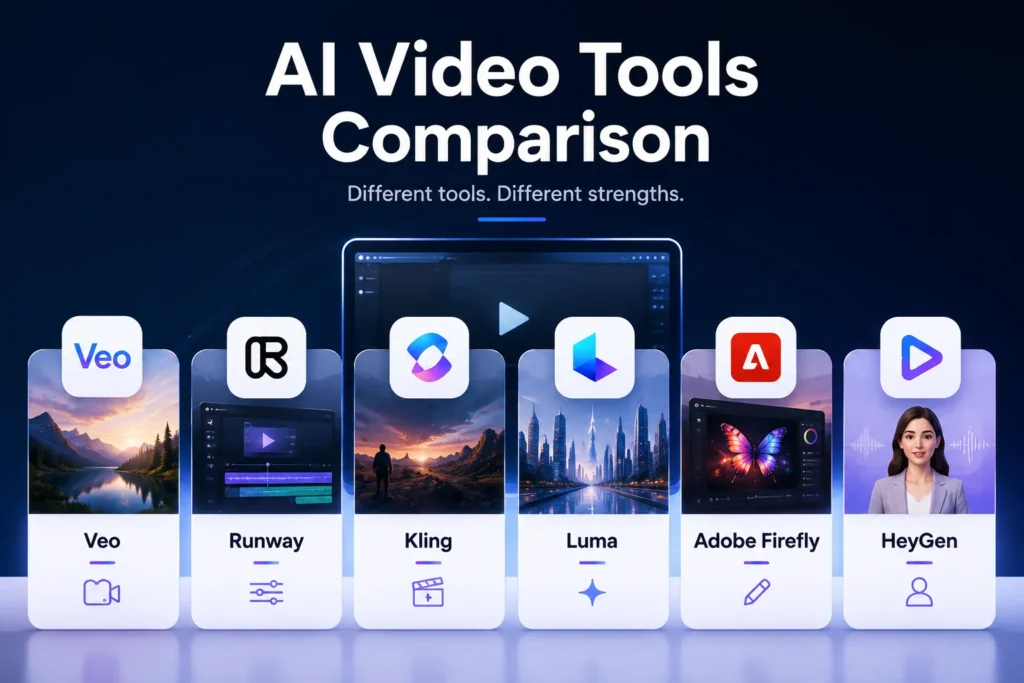
Quick answer: Google Veo 3.1 is one of the strongest choices for realistic AI video with native audio, Runway is excellent for creative control, Kling 3.0 is strong for cinematic multi-shot generation, Luma is aimed at high-end creative workflows, Adobe Firefly is particularly attractive for commercially focused creative work, and HeyGen is one of the strongest options for avatar-based videos.
Best AI Video Generators in 2026: Quick Comparison
AI Video Generator
Best For
Main Strength
Best For Creators
Google Veo 3.1
Cinematic AI video
Realism + native audio
YouTube & storytelling
Runway Gen-4.5
Creative control
Camera & motion control
Professional creators
Kling 3.0
Cinematic scenes
Multi-shot + audio
Storytelling
Luma Ray
Professional video
Control + fidelity
Film & advertising
Adobe Firefly
Commercial content
Creative workflow
Brands & marketers
HeyGen
AI avatars
Talking presenters
Faceless creators
Synthesia
Business videos
Avatars + localization
Education & business
Google Vids
Simple video creation
Easy workflow
Beginners
Runway Workflows
Advanced production
AI creative pipelines
Advanced creators
HeyGen AI Video
Social content
Fast production
Shorts & social media
Features, model names, plans, limits, and availability can change frequently.
What Is an AI Video Generator?
An AI video generator is software that uses artificial intelligence to create or transform video content from inputs such as:
Text prompts
Images
Video clips
Scripts
Presentations
Audio
Reference images
Instead of manually creating every element, you can describe what you want and let the AI generate part or all of the video.
For example:
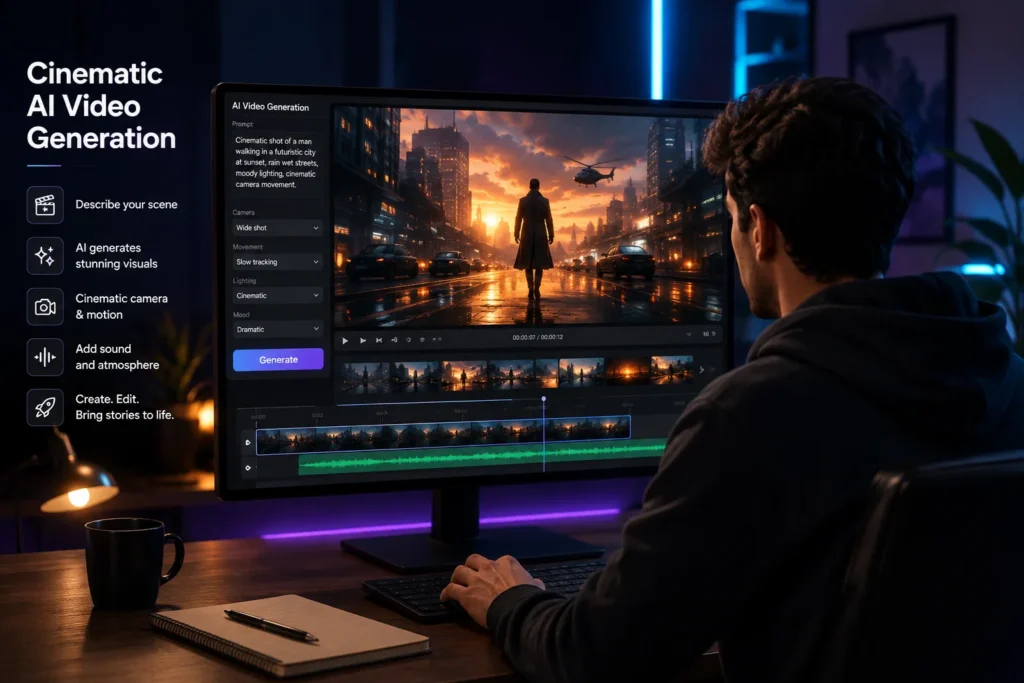
Prompt:
“A cinematic drone shot flying over a futuristic city at sunset, realistic lighting, slow camera movement.”
The AI can generate a video based on that description.
Other tools work differently.
You might upload a photograph and ask the AI to animate it, or give a script to an AI avatar platform and receive a complete narrated video.
This means that “AI video generator” isn’t one specific type of product.
There are several categories.
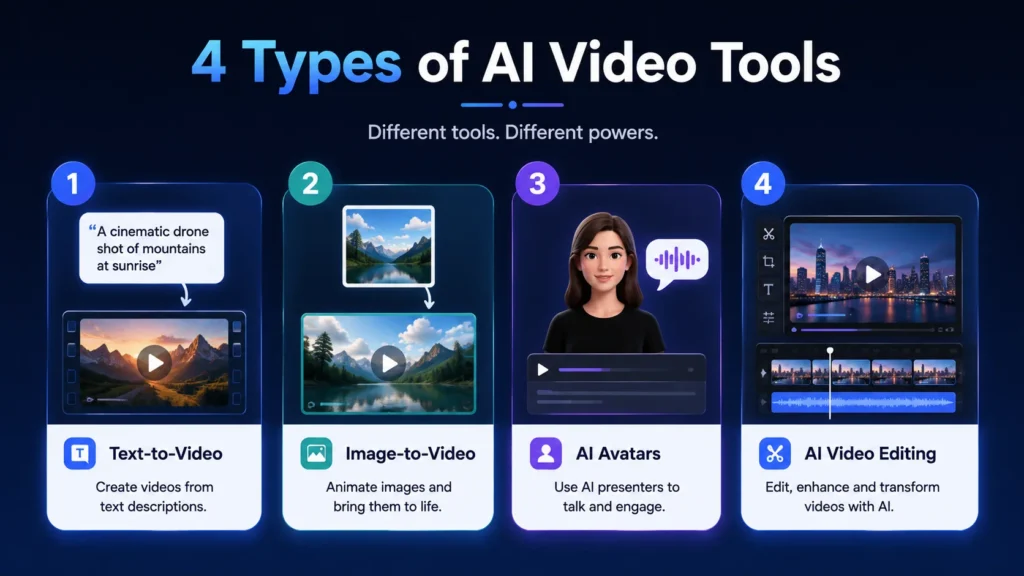
Types of AI Video Generators
1. Text-to-Video AI
You describe a scene using text and the AI generates a video.
Best for:
Storytelling
B-roll
Cinematic scenes
Creative experiments
Social media
Examples include Veo, Runway, and Kling.
2. Image-to-Video AI
You provide an image and instruct the AI how you want it to move.
This is particularly useful for creators who already have:
Product images
AI-generated images
Illustrations
Character designs
Photography
3. AI Avatar Video Generators
These tools create videos where a digital presenter reads your script.
They’re useful for:
Tutorials
Explainer videos
Training
Marketing
Faceless YouTube channels
HeyGen and Synthesia are strong examples.
4. AI Video Editing Tools
Instead of generating an entire video from scratch, these tools help you edit, extend, transform, or enhance existing footage.
This approach is often more practical for professional creators because AI becomes part of an existing production workflow.
1. Google Veo 3.1 — Best Overall AI Video Generator
Best for: Realistic video, storytelling, cinematic scenes, and videos with sound.
Google Veo is one of the most advanced AI video generation systems available in 2026.
The current Veo 3.1 model supports text-to-video, image-to-video, reference-based generation, motion controls, and native audio generation. Google also lists 1080p and 4K output capabilities.
One of its most interesting features is native audio.
Instead of generating silent video and adding sound later, Veo can generate:
Dialogue
Sound effects
Ambient sounds
Background audio
alongside the video.
Why Creators Should Care
For storytelling, this is a major advantage.
Imagine generating:
A rainy street at night, a detective walks toward the camera while distant traffic passes and rain hits the pavement.
The visual scene and audio can be generated as part of the same creative process.
Google has also added vertical video capabilities, which makes Veo particularly relevant for Shorts and other mobile-first content.
Best Uses
YouTube
YouTube Shorts
Cinematic B-roll
Storytelling
Product videos
Creative experiments
Pros
Excellent realism
Native audio
Strong prompt understanding
Vertical video support
High-resolution output
Cons
Access depends on Google’s products and plans
Generation can consume significant resources
AI-generated video still needs human review
Verdict: ⭐⭐⭐⭐⭐ One of the best all-purpose choices for creators in 2026.
2. Runway Gen-4.5 — Best for Creative Control
Best for: Professional creators, filmmakers, marketers, and controlled video generation.
Runway remains one of the most important AI video platforms for creators.
Its current Gen-4.5 supports both text-to-video and image-to-video generation, with an emphasis on motion quality, visual fidelity, prompt adherence, and complex camera choreography.
Runway’s documentation specifically highlights the ability to describe complex sequences, camera movements, timing, and atmospheric changes.
That’s important because professional video creation isn’t simply about generating pretty images.
Control matters.
Example
Instead of:
“A man walking in a city.”
You can describe:
“The camera slowly tracks backward as the subject walks toward the camera, while neon reflections move across the wet street.”
That gives the model more information about the movement and camera behavior.
Runway also offers
Image-to-video
Creative workflows
AI editing
Video transformation
Character/performance tools
Automated creative workflows
Runway also provides access to selected third-party models within its platform, giving creators more options inside one environment.
Best For
Professional content creators who want more control rather than simple one-click generation.
Pros
Strong creative control
Excellent motion
Image-to-video
Professional workflow
Multiple AI models and tools
Cons
Learning curve
Credit-based generation can become expensive
Some advanced features require paid access
Verdict: ⭐⭐⭐⭐⭐
3. Kling 3.0 — Best for Cinematic Multi-Shot Videos
Best for: Storytelling, cinematic sequences, character consistency, and multi-shot videos.
Kling AI has become a major player in AI video generation.
Its Kling VIDEO 3.0 model introduced several important improvements, including native audio, multi-shot generation, stronger element consistency, multilingual audio capabilities, and video generation up to 15 seconds.
The multi-shot capability is particularly interesting.
Instead of generating one isolated clip, Kling can help structure multiple shots within a sequence.
For example:
Shot 1: Wide shot of a city.
Shot 2: Character walks into a café.
Shot 3: Camera moves toward the character.
Shot 4: Close-up conversation.
That makes it more suitable for storytelling than tools that only focus on isolated clips.
Best For
Short films
Storytelling
Cinematic content
Character-driven videos
Social media
Pros
Multi-shot generation
Native audio
Strong visual realism
Character consistency features
Longer generation options
Cons
Results can vary depending on prompts
Complex scenes still require iteration
Usage limits depend on the plan
Verdict: ⭐⭐⭐⭐⭐
4. Luma Ray — Best for Professional Creative Workflows
Best for: Film, advertising, cinematic video, and creators who want advanced control.
Luma has continued to develop its Ray video models throughout 2026.
Luma’s latest Ray3.2, released in June 2026, focuses on frame-level control and professional creative workflows.
Earlier Ray models also introduced features such as:
High-fidelity video
Image-to-video
Keyframes
Video-to-video
Character references
HDR workflows
Ray3.14, for example, added native 1080p generation and improved speed, cost efficiency, prompt adherence, and temporal consistency.
Why Luma Is Interesting
Luma is less about:
“Type a prompt and hope for something cool.”
and more about:
Directing the generated footage.
That distinction matters for professional creators.
Best For
Cinematic content
Advertising
Film experimentation
Product visuals
High-end creative projects
Pros
Strong visual fidelity
Professional controls
HDR workflows
Keyframe support
Video modification
Cons
More advanced than beginner-friendly tools
Premium workflows can be expensive
Requires experimentation
Verdict: ⭐⭐⭐⭐⭐
5. Adobe Firefly — Best for Commercial Creative Work
Best for: Brands, marketers, agencies, and creators already using Adobe.
Instead of being only a video generator, Firefly is designed as a broader creative workspace.
Its video tools support:
Text-to-video
Image-to-video
Video editing
Visual effects
Sound effects
Voiceovers
Multiple AI models
Adobe also integrates partner models such as Veo, Luma, Kling, and Runway within its Firefly video workflow, allowing creators to compare different models in one environment.
Why Firefly Is Important for Businesses
Adobe says its own Firefly Video Model is trained on licensed and public-domain content and is designed to be commercially safe.
That’s particularly relevant for:
Marketing agencies
Brands
Businesses
Freelancers
Commercial campaigns
However, Adobe also notes that commercial-use terms can differ for partner models, so creators should check the terms of the specific model they use.
Best For
Creators who want AI generation + editing + Adobe Creative Cloud workflows.
Pros
Professional creative ecosystem
Multiple AI models
Commercially focused Firefly model
Video editing
Adobe integrations
Cons
Some advanced features require paid plans
Multiple models can make choosing more complicated
Verdict: ⭐⭐⭐⭐⭐
6. HeyGen — Best for AI Avatar Videos
Best for: Faceless creators, educational content, marketing, and social media.
Instead of primarily generating cinematic scenes, HeyGen focuses heavily on AI presenters and avatar-based videos.
You can provide:
A script
An image
A presentation
A PDF
and turn it into a video.
HeyGen supports AI avatars, voice cloning, translation, and more than 175 languages and dialects according to its current product information.
Why Content Creators Should Consider It
Suppose you want to create a YouTube Shorts channel but don’t want to appear on camera.
A workflow could be:
Script
↓
AI Avatar
↓
AI Voice
↓
Captions
↓
Short Video
This can significantly reduce production time.
Best For
Faceless YouTube channels
TikTok
Instagram Reels
Tutorials
Educational content
Product videos
Pros
Easy to use
Realistic avatars
Voice cloning
Multilingual content
Good for faceless channels
Cons
Less suitable for cinematic storytelling
Avatar-based content can feel repetitive
Human review is still important
Verdict: ⭐⭐⭐⭐⭐
7. Synthesia — Best for Business and Educational Videos
Best for: Training, tutorials, corporate communication, and educational content.
Synthesia focuses primarily on professional AI avatar videos.
Its current platform allows users to turn text and existing materials such as PowerPoint presentations and PDFs into videos, while also providing avatars, voices, translation, dubbing, templates, and interactive elements.
Best Uses
Employee training
Online courses
Product tutorials
Customer education
Internal communication
Business presentations
Synthesia is particularly strong when clarity and scalability matter more than cinematic visuals.
Pros
Professional avatars
Multilingual content
Business-focused
Training workflows
Presentation-to-video capabilities
Cons
Not designed primarily for cinematic AI scenes
Best value is for business-oriented creators
Verdict: ⭐⭐⭐⭐☆
8. Google Vids — Best for Beginners
Best for: Simple business videos, presentations, and creators who want an easier workflow.
Google Vids combines video creation with Google’s broader productivity ecosystem.
In April 2026, Google announced that Vids could generate high-quality video clips using Veo 3.1, including a limited number of free generations each month for Google account users.
This makes it interesting for beginners who don’t necessarily want to learn a complicated professional video-generation platform.
Best For
Presentations
Business videos
Educational content
Simple social videos
Beginners
Pros
Easy workflow
Google ecosystem
Veo-powered generation
Useful for business content
Cons
Less specialized than Runway or Luma
Advanced filmmakers may want more control
Verdict: ⭐⭐⭐⭐☆
Which AI Video Generator Is Best for You?
There isn’t one winner for every creator.
The right tool depends on your workflow.
If You Want To…
Best Choice
Create realistic cinematic scenes
Veo 3.1
Have more creative control
Runway
Create multi-shot stories
Kling 3.0
Produce professional cinematic work
Luma
Create commercial brand content
Adobe Firefly
Create faceless videos
HeyGen
Create training videos
Synthesia
Start with an easy workflow
Google Vids
Best AI Video Generator for YouTube
If your main goal is YouTube, your choice depends on the type of channel.
Faceless YouTube Channel
HeyGen + Veo/Runway
Use HeyGen for narration or presenters and a generative video model for B-roll.
Cinematic YouTube Channel
Veo 3.1 + Runway
Use Veo for realistic scenes and Runway for creative control and additional production work.
Educational YouTube Channel
Synthesia + Canva
Create presenter-led educational videos and supporting graphics.
Storytelling Channel
Kling + Veo + Luma
Use different models for different scenes rather than forcing one AI tool to do everything.
Best AI Video Generators for YouTube Shorts
Short-form content requires a slightly different workflow.
You need:
Strong hooks
Fast pacing
Vertical video
Captions
Short scenes
Strong visual changes
Veo 3.1 supports vertical generation, while HeyGen is useful for presenter-based and faceless social content.
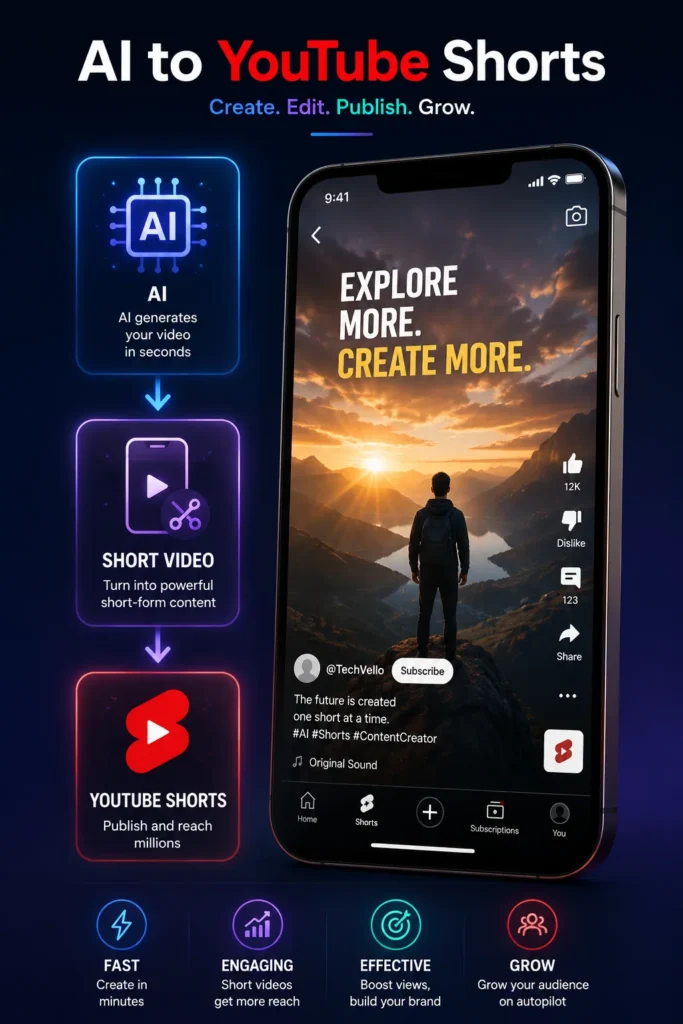
A practical workflow could be:
ChatGPT
→ Write the script
↓
Veo / Runway
→ Generate visual scenes
↓
HeyGen / ElevenLabs
→ Narration
↓
CapCut / Premiere Pro
→ Final editing
↓
YouTube Shorts
→ Publish
Best AI Video Generator for Faceless Content
If you don’t want to show your face, you don’t necessarily need an AI avatar.
There are two main approaches.
Approach 1: AI Avatar
Use:
HeyGen or Synthesia
Best for:
Tutorials
Explainers
News-style videos
Educational content
Approach 2: Cinematic B-Roll
Use:
Veo, Runway, Kling, or Luma
Best for:
Storytelling
Facts
Motivation
Technology
Travel
Documentary-style content
For a faceless creator, the second approach can often look more original because you’re not relying on the same stock AI presenter used by thousands of channels.
How to Create Better AI Videos
The quality of your output doesn’t depend only on the AI model.
Your prompt matters.
A weak prompt:
“A man walking in London.”
A better prompt:
“Cinematic medium shot of a young man walking through a rainy London street at night, wet pavement reflecting warm shop lights, slow tracking camera movement, shallow depth of field, realistic natural motion.”
The second prompt provides:
Subject
Location
Weather
Lighting
Camera movement
Composition
Visual style
Motion
Runway itself recommends focusing image-to-video prompts primarily on the desired motion and using high-quality input images, while Google emphasizes prompt adherence and creative controls in Veo.
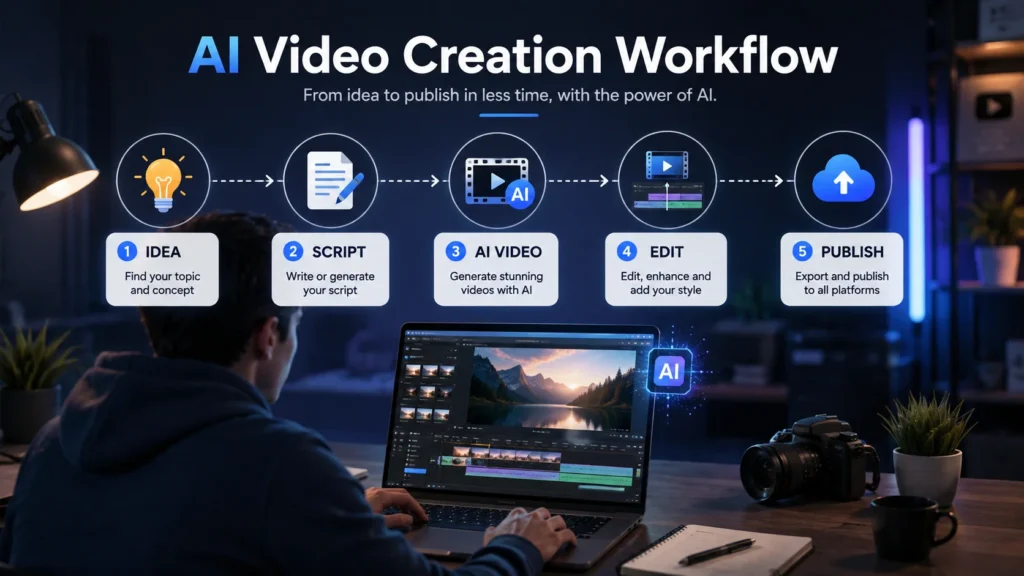
A Simple AI Video Workflow for Content Creators
You don’t need to generate an entire video with one AI tool.
A better workflow is:
Step 1 — Write the Idea
Use:
ChatGPT / Claude
↓
Step 2 — Research
Use:
Perplexity
↓
Step 3 — Create Visuals
Use:
Veo / Runway / Kling
↓
Step 4 — Generate Voice
Use:
HeyGen / ElevenLabs
↓
Step 5 — Edit
Use:
Premiere Pro / CapCut / Descript
↓
Step 6 — Publish
YouTube / TikTok / Instagram
This approach gives you much more control.
AI Video Generator vs Traditional Video Production
Feature
Traditional Video
AI Video
Camera
Required
Often unnecessary
Actors
Sometimes required
Can be AI-generated
Location
Physical
Can be generated
Lighting
Physical
Generated
Editing
Manual
AI-assisted
Production time
Often high
Usually faster
Creative control
High
Improving rapidly
Cost
Can be expensive
Varies by tool
Human input
Essential
Still essential
AI doesn’t completely eliminate traditional production.
Instead, it changes the economics of certain types of content.
Are AI Video Generators Free?
Some AI video platforms offer free plans, trials, limited credits, or free generations.
However, free access is often limited by:
Number of generations
Resolution
Watermarks
Queue priority
Monthly credits
Available models
Google, for example, announced 10 free Veo 3.1 generations per month through Google Vids for users with a Google account.
For serious content production, you’ll usually need to evaluate the cost per usable clip, rather than simply asking whether a tool is free.
What About Sora?
You may notice that Sora isn’t included in this list.
That’s intentional.
OpenAI discontinued the Sora web and app experience on April 26, 2026, and the Sora API is scheduled to be discontinued on September 24, 2026.
Therefore, it wouldn’t make sense to recommend Sora as a primary AI video generator for creators building a workflow today.
This is also an important lesson when choosing AI tools:
Don’t build your entire content business around one model.
AI products can change, merge, launch new models, or disappear surprisingly quickly.
Common Mistakes When Using AI Video Generators
1. Generating Everything With One Prompt
Professional-looking AI videos usually require iteration.
Generate → Review → Improve → Generate again.
2. Making Every Scene Look Different
If your characters, lighting, camera style, and color palette constantly change, your video can feel disconnected.
Use reference images and consistent prompts whenever the platform supports them.
3. Making Videos Too Long
AI-generated scenes are often more effective when they’re short.
Instead of generating one five-minute video, create multiple short clips and edit them together.
4. Ignoring Audio
Good visuals with poor audio still produce a bad video.
Use:
Voice
Sound effects
Music
Ambient sound
when appropriate.
5. Publishing Without Human Review
AI-generated videos can contain:
Visual artifacts
Incorrect details
Strange motion
Inconsistent characters
Incorrect text
Unnatural audio
Always review the final output before publishing.
The Future of AI Video in 2026
The biggest change isn’t simply that AI video is becoming more realistic.
It’s becoming more controllable.
We’re moving from:
Generate a random clip
toward:
Direct a scene.
Veo is adding more reference and motion controls, Runway is focusing on detailed camera choreography, Kling is adding multi-shot storytelling and native audio, and Luma is pushing frame-level control.
That means content creators can increasingly use AI as part of a real production pipeline rather than simply as an experiment.
Frequently Asked Questions
What is the best AI video generator in 2026?
There isn’t one universal winner. Veo 3.1 is a strong overall choice for realistic video and native audio, Runway is excellent for creative control, Kling is strong for multi-shot storytelling, and Luma is aimed at professional creative workflows.
What is the best AI video generator for YouTube?
For cinematic YouTube content, Veo, Runway, Kling, and Luma are strong options. For presenter-based or faceless educational content, HeyGen and Synthesia can be more practical.
What is the best AI video generator for Shorts?
Veo 3.1, Runway, Kling, and HeyGen are all useful depending on the type of Shorts you’re creating. Vertical-video support and fast production workflows are particularly important for short-form content.
Can AI generate videos from text?
Yes. Text-to-video is now a standard capability across several leading platforms, including Veo, Runway, Kling, Luma, and Adobe Firefly.
Can AI turn images into videos?
Yes. Many modern AI video generators support image-to-video generation, allowing creators to animate photographs, illustrations, product images, and AI-generated artwork.
Can I use AI-generated videos commercially?
It depends on the specific tool, model, plan, and content. Always check the current licensing terms before using AI-generated footage in commercial campaigns. Adobe, for example, says its Firefly Video Model is designed for commercial safety, while noting that partner models can have different terms.
Can AI video generators replace video editors?
Not completely. They can automate parts of production, but professional creators still benefit from editing, storytelling, sound design, pacing, color correction, and human review.
Are AI-generated videos good enough for YouTube?
Yes, but quality depends heavily on the workflow. A strong script, good prompts, consistent visuals, editing, sound design, and human review can make AI-generated footage much more effective.
Final Verdict: Which AI Video Generator Should You Choose?
The best AI video generator isn’t necessarily the one with the most impressive demo.
It’s the one that fits your workflow.
If you want realistic cinematic video and native audio, start with Veo 3.1.
If you want creative control, choose Runway.
If you’re creating multi-shot stories, try Kling 3.0.
If you’re working on professional cinematic projects, explore Luma.
If you’re producing commercial brand content, Adobe Firefly is particularly interesting.
If you’re building a faceless channel, HeyGen can dramatically simplify presenter-based production.
And if you’re creating business or training videos, Synthesia is worth considering.
The most powerful strategy, however, isn’t choosing one AI tool.
It’s building a workflow where different tools handle different jobs.

[…] 10 Best AI Video Generators for Content Creators in 2026 […]