
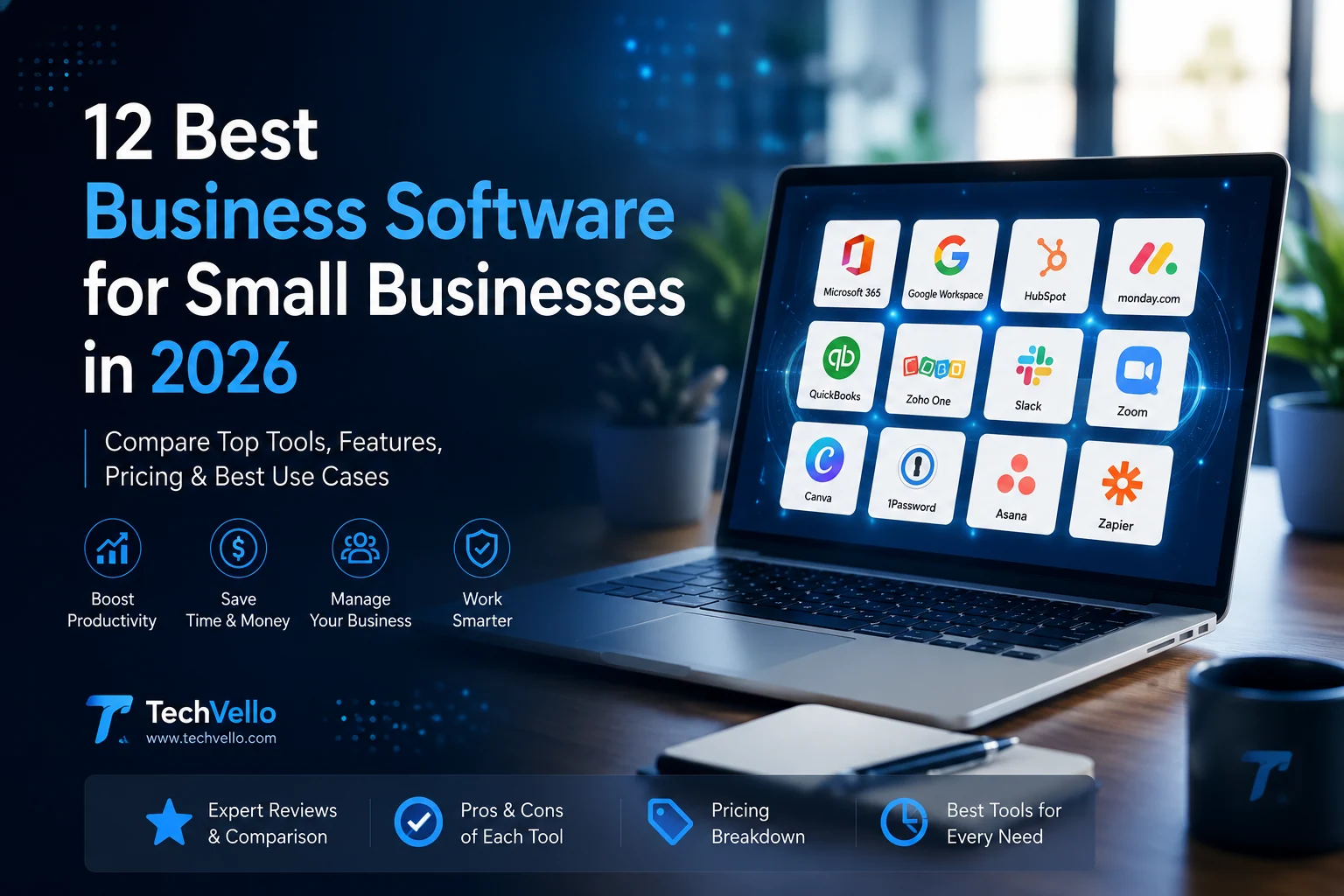
12 Best Small Business Software in 2026: Top Tools Compared
Running a small business means wearing many hats. You may be responsible for sales, customer support, accounting, marketing, project management, communication, and even IT.
The right business software can make those responsibilities much easier by bringing important tasks into organized, repeatable workflows.
But choosing business software isn’t as simple as picking the platform with the longest feature list.
A five-person company may need a completely different software stack than a 100-person organization. The best solution depends on your team size, budget, industry, workflow, and the problems you actually need to solve.
In this guide, we’ll compare 12 of the best business software tools for small businesses in 2026, covering productivity, CRM, project management, accounting, communication, collaboration, marketing, and business operations.
Quick answer: For an all-purpose productivity suite, Microsoft 365 and Google Workspace are strong choices. HubSpot is a good starting point for CRM, monday.com is useful for project and work management, QuickBooks is designed around small-business accounting, and Zoho One is worth considering if you want a broader business software suite.
What Is Business Software?
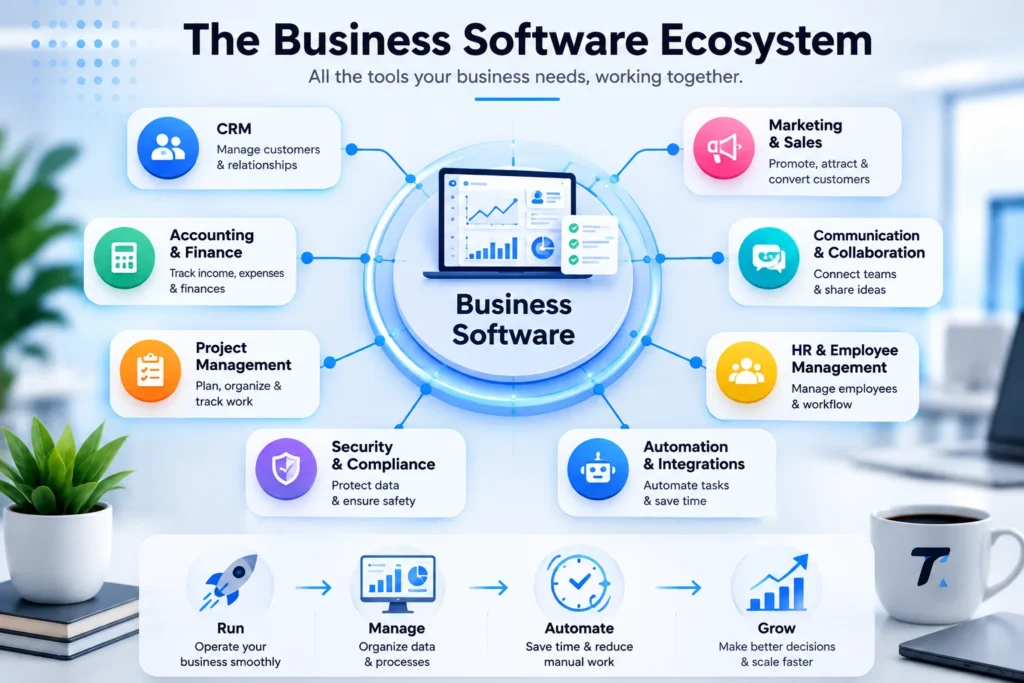
Business software refers to applications designed to help companies manage, automate, and improve everyday business activities.
Depending on the company, business software can include:
- Accounting software
- CRM software
- Project management software
- Communication tools
- Productivity suites
- HR software
- Marketing platforms
- Inventory management
- Business analytics
- Cybersecurity tools
- Automation platforms
- Enterprise resource planning (ERP)
Modern business software is also becoming increasingly AI-powered. The 2026 OECD SME survey found that adoption of AI applications among small and medium-sized businesses is increasing, although strategic integration, skills, maintenance, and cybersecurity remain important challenges.
This means businesses shouldn’t adopt AI simply because it is available. The better approach is to identify a specific bottleneck and choose software that can solve it.
Related guide: [INSERT INTERNAL LINK: Best AI Tools for Small Businesses]
Best Business Software for Small Businesses: Quick Comparison
| Software | Best For | Category | Free Option |
|---|---|---|---|
| Microsoft 365 | Productivity & office work | Productivity | Trial/options vary |
| Google Workspace | Collaboration | Productivity | Trial/options vary |
| HubSpot CRM | Customer management | CRM | Yes |
| monday.com | Project management | Work Management | Plan-dependent |
| QuickBooks Online | Accounting | Accounting | Trial/options vary |
| Zoho One | All-in-one business management | Business Suite | Trial |
| Slack | Team communication | Collaboration | Yes |
| Zoom Workplace | Meetings & communication | Communication | Yes/plan-dependent |
| Canva | Business design | Design | Yes |
| 1Password Business | Password security | Security | Trial |
| Asana | Project & task management | Productivity | Yes |
| Zapier | Automation | Automation | Yes |
Plans, limits, pricing, and included features can change. Check the provider’s current website before purchasing.
1. Microsoft 365 — Best Business Software for Productivity
Best for: Documents, spreadsheets, email, presentations, file storage, and team productivity.
Microsoft 365 for Business is one of the most comprehensive productivity options for businesses that want familiar office applications combined with cloud services and administrative controls.
Microsoft’s business offering includes professional applications, business email, security features, administration tools, and optional AI capabilities through Microsoft 365 Copilot.
What Can Businesses Use Microsoft 365 For?
Depending on the plan, businesses can use Microsoft’s ecosystem for:
- Business email
- Word documents
- Excel spreadsheets
- PowerPoint presentations
- Cloud file storage
- Team collaboration
- Meetings
- Calendar management
- Business security
- AI-assisted productivity
Why Choose Microsoft 365?
The biggest advantage is the ecosystem.
If your employees already know Word, Excel, and PowerPoint, adoption can be relatively straightforward.
It’s particularly attractive for companies that rely heavily on documents, spreadsheets, presentations, and structured business workflows.
Best for: Established small businesses that want a familiar productivity ecosystem.
Verdict: ★★★★★
2. Google Workspace — Best for Cloud Collaboration
Best for: Email, cloud documents, real-time collaboration, and remote teams.
Google Workspace brings Google’s business applications into one environment.
The suite includes Gmail, Google Drive, Docs, Sheets, Slides, Meet, Calendar, Chat, Forms, and other tools. Google also integrates Gemini and AI capabilities into its Workspace ecosystem depending on the plan.
Why Do Small Businesses Use Google Workspace?
One of its biggest advantages is real-time collaboration.
Multiple employees can work on the same document or spreadsheet without constantly sending different file versions back and forth.
That can be particularly useful for:
- Remote teams
- Agencies
- Startups
- Freelancers
- Marketing teams
- Distributed companies
Microsoft 365 vs Google Workspace
The choice often comes down to your team’s existing workflow.
Choose Microsoft 365 if your company depends heavily on traditional Office applications.
Choose Google Workspace if your team prefers browser-based collaboration and cloud-first workflows.
Best for: Businesses with remote or collaborative teams.
Verdict: ★★★★★
3. HubSpot — Best CRM Software for Small Businesses
Best for: Customer relationship management, sales pipelines, contact management, and basic marketing tools.
A CRM helps businesses organize information about prospects and customers instead of keeping everything in spreadsheets, emails, or scattered notes.
HubSpot CRM offers a free CRM with features such as contact management, deal pipelines, reporting, email tools, and AI-assisted functionality. HubSpot says its free CRM has no expiration date, although limits and premium features vary by plan.
What Can You Manage With HubSpot?
You can use a CRM to track:
- Leads
- Customers
- Sales opportunities
- Emails
- Meetings
- Follow-ups
- Deals
- Customer interactions
- Sales pipelines
The platform can also connect with other business applications through integrations, helping businesses keep information from becoming fragmented across different systems.
Who Should Use HubSpot?
HubSpot is particularly interesting for businesses that depend on:
- Lead generation
- Online sales
- Content marketing
- Customer relationships
- Sales pipelines
If your business still manages customer information through spreadsheets, moving to a CRM can be a major improvement.
Best for: Small businesses that want to organize sales and customer data.
Verdict: ★★★★★
Related guide: [INSERT INTERNAL LINK: Best CRM Software for Small Businesses]
4. monday.com — Best for Project and Work Management
Best for: Projects, tasks, workflows, team coordination, and business operations.
monday.com is designed to help teams organize work in visual boards and workflows.
Instead of tracking tasks through email conversations, businesses can create centralized workspaces where employees can see what needs to be done, who is responsible, and what the current status is.
How Businesses Can Use monday.com
Common use cases include:
- Marketing campaigns
- Content calendars
- Client projects
- Product development
- Sales pipelines
- Team tasks
- Business operations
For example, a marketing agency could create a workflow:
Client Request → Research → Draft → Design → Review → Approval → Publish
Each task can have an owner and deadline.
Why This Matters
As a business grows, communication becomes more complicated.
A work-management platform can reduce the number of tasks that disappear inside emails and chat messages.
Best for: Teams managing multiple projects or recurring workflows.
Verdict: ★★★★☆
5. QuickBooks Online — Best Accounting Software for Small Businesses
Best for: Bookkeeping, income and expense tracking, invoicing, and financial management.
Accounting is one area where spreadsheets can become difficult to manage as a business grows.
QuickBooks Online is designed to help small businesses manage financial information through a cloud-based accounting platform.
What Can Accounting Software Help With?
Depending on the plan and region, accounting platforms can help businesses manage:
- Income
- Expenses
- Invoices
- Financial reports
- Business transactions
- Customer payments
- Tax-related records
- Cash-flow information
The key advantage is having financial information organized in one system instead of scattered across spreadsheets and documents.
Before Choosing Accounting Software
Accounting requirements vary significantly between countries.
Before subscribing, check whether the software supports the tax rules, invoicing requirements, currencies, payment systems, and accounting practices relevant to your business.
Best for: Small businesses that need structured financial management.
Verdict: ★★★★☆
Related guide: [INSERT INTERNAL LINK: Best Accounting Software for Small Businesses]
6. Zoho One — Best All-in-One Business Software Suite
Best for: Businesses that want multiple business applications under one ecosystem.
Zoho One takes a different approach from buying separate tools for every department.
The Zoho ecosystem includes applications covering areas such as CRM, finance, projects, HR, marketing, customer support, and business operations.
Why Consider an All-in-One Platform?
Imagine a business using:
- One CRM
- One accounting system
- One project management tool
- One HR platform
- One marketing platform
If those systems don’t communicate properly, employees may end up entering the same information multiple times.
An integrated suite can reduce that fragmentation.
The Downside
More features also mean more complexity.
A small company with only a few basic needs may not need a huge business suite.
Choose an all-in-one platform when you genuinely need multiple connected business functions.
Best for: Growing businesses that want a broader software ecosystem.
Verdict: ★★★★☆
7. Slack — Best Business Software for Team Communication
Best for: Internal communication, team channels, and reducing email overload.
Slack organizes workplace conversations into channels, direct messages, and dedicated project spaces.
Instead of creating endless email chains, teams can create channels for:
- Marketing
- Sales
- Customer support
- Projects
- Clients
- Product development
- Company announcements
How Slack Can Improve Business Communication
A useful Slack structure might look like:
#general → Company announcements
#marketing → Marketing discussions
#sales → Sales opportunities
#project-website → Website project
#customer-support → Customer issues
This makes conversations easier to find later.
The Biggest Mistake
Don’t turn Slack into another source of constant interruptions.
Use channels, notifications, and communication rules carefully.
Best for: Teams that communicate frequently throughout the day.
Verdict: ★★★★☆
8. Zoom Workplace — Best for Business Meetings
Best for: Video meetings, remote communication, webinars, and team collaboration.
Zoom Workplace provides tools for video meetings and workplace collaboration.
For businesses with remote employees, clients, suppliers, or international partners, reliable video communication can become a core part of daily operations.
Common Business Uses
Zoom can be useful for:
- Team meetings
- Client meetings
- Sales calls
- Interviews
- Training
- Webinars
- Remote consultations
The right video-conferencing platform depends on your existing software ecosystem, but Zoom remains a familiar option for businesses that regularly work remotely.
Best for: Remote teams and businesses with frequent online meetings.
Verdict: ★★★★☆
9. Canva — Best Business Software for Visual Content
Best for: Marketing graphics, presentations, social media content, documents, and brand assets.
Canva for Business can help companies create professional visual content without requiring a dedicated graphic designer for every small task.
Businesses Can Use Canva For:
- Social media graphics
- Presentations
- Marketing materials
- Posters
- Reports
- Infographics
- Advertisements
- Brand templates
- Internal documents
For a small business, this can be especially useful when the marketing team needs to create visual content quickly.
Why It’s Useful
Instead of sending every simple design request to a designer, employees can work from approved templates.
That creates a balance between speed and brand consistency.
Best for: Small businesses that need frequent marketing and visual content.
Verdict: ★★★★☆
10. 1Password Business — Best Password Management Software
Best for: Password security, access management, and protecting company credentials.
As businesses adopt more cloud software, the number of passwords and accounts tends to increase.
That creates a security problem if employees store passwords in browsers, spreadsheets, notes, or reuse the same password across multiple services.
1Password Business provides password management and access-control features designed for organizations.
Why Businesses Need Password Management
A company may have credentials for:
- Hosting
- Social media
- CRM
- Accounting
- Advertising platforms
- Website administration
- Cloud storage
- Payment services
A password manager can help employees securely store and share access without exposing passwords unnecessarily.
Security Should Be Part of Your Software Strategy
The OECD’s 2026 SME research identifies cybersecurity as an important challenge as businesses become more digital.
So business software shouldn’t be evaluated only on productivity.
Security matters too.
Best for: Businesses with multiple employees and many online accounts.
Verdict: ★★★★★
11. Asana — Best for Structured Project Management
Best for: Tasks, projects, deadlines, team responsibilities, and recurring workflows.
Asana is another popular project-management option for businesses that need a clear system for organizing work.
It can be particularly useful for teams where projects involve multiple stages and people.
Example Workflow
A content team could organize an article as:
Idea
↓
Keyword Research
↓
Outline
↓
Writing
↓
Editing
↓
Design
↓
SEO Review
↓
Publishing
↓
Promotion
Every stage can have an owner and deadline.
This is much easier to manage than keeping the entire process inside a spreadsheet.
Best for: Teams that need structured project workflows.
Verdict: ★★★★☆
Related guide: [INSERT INTERNAL LINK: Best Project Management Software for Small Businesses]
12. Zapier — Best Business Automation Software
Best for: Connecting different applications and automating repetitive workflows.
Zapier is useful when your business relies on several different applications that need to communicate with each other.
For example:
Website Form
↓
CRM
↓
Email Notification
↓
Spreadsheet
↓
Sales Follow-up
Instead of manually transferring information between systems, automation can move data between connected applications.
Examples of Business Automation
You could automate workflows such as:
- New lead → CRM
- New order → Spreadsheet
- New form submission → Email notification
- New customer → Welcome email
- New task → Team notification
- Completed project → Client email
Don’t Automate Everything
Automation is useful when a process is repetitive and predictable.
If a workflow requires human judgment, you may want an approval step rather than completely removing humans from the process.
This is especially important as businesses adopt more AI-powered automation.
Best for: Businesses that spend too much time repeating manual digital tasks.
Verdict: ★★★★★
How to Choose the Best Business Software
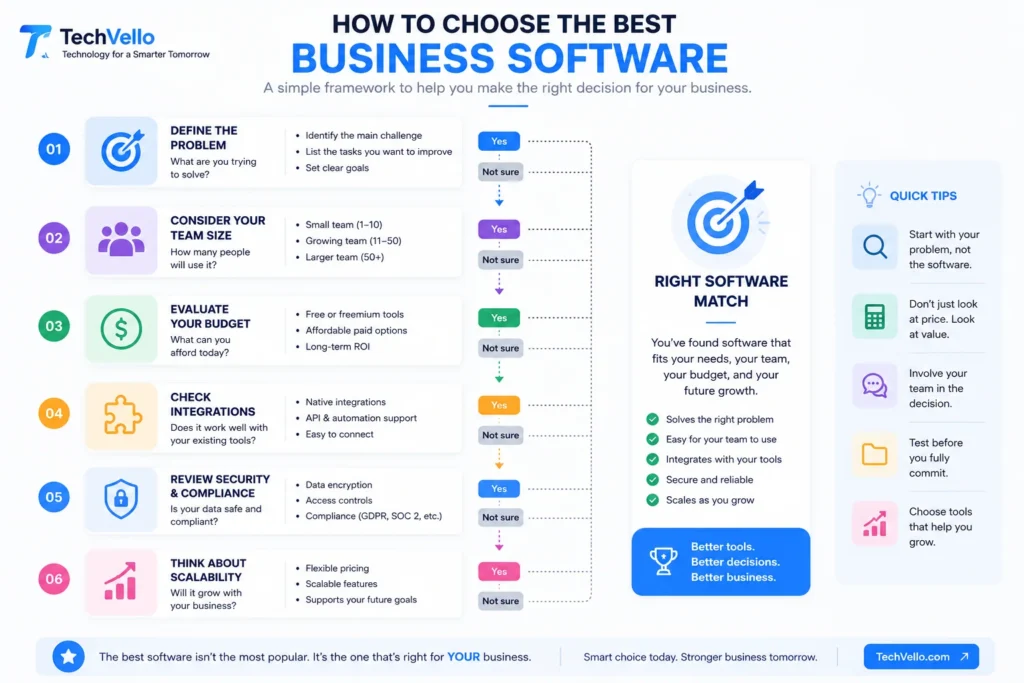
Choosing business software should start with your problems, not the software itself.
Before purchasing anything, ask these questions.
1. What Problem Are You Trying to Solve?
Don’t start with:
“Which software is the best?”
Start with:
“What is slowing my business down?”
For example:
Problem: Customer information is scattered.
Solution: CRM.
Problem: Employees don’t know which tasks are due.
Solution: Project management software.
Problem: Invoices are difficult to track.
Solution: Accounting software.
Problem: Employees repeatedly perform the same digital tasks.
Solution: Automation software.
2. How Many People Will Use It?
A freelancer doesn’t need the same software as a 50-person company.
Consider:
- Number of employees
- Number of users
- Departments
- Permissions
- Collaboration requirements
- Expected growth
Choosing software that is too complicated can create unnecessary costs and training requirements.
3. Does It Integrate With Your Existing Tools?
Integration is one of the most important things to check.
For example, if you already use:
- Google Workspace
- Shopify
- WordPress
- HubSpot
- Slack
- QuickBooks
you should check whether the new software integrates with those systems.
Otherwise, employees may have to manually copy information from one platform to another.
4. What Is the Total Cost?
Don’t look only at the advertised monthly subscription.
Calculate the total cost, including:
- User licenses
- Setup
- Migration
- Training
- Integrations
- Add-ons
- Storage
- Premium features
- Support
A cheap tool that requires hours of manual work may actually cost more than a slightly more expensive tool that automates the workflow.
Free Business Software: Is It Enough?
For many small businesses, free software can be a good starting point.
You can find free or limited plans for several categories, including:
- CRM
- Project management
- Communication
- Design
- Automation
- Productivity
For example, HubSpot currently offers a free CRM with no expiration date, while more advanced capabilities are available through paid plans.
However, “free” doesn’t always mean unlimited.
Free plans may restrict:
- Number of users
- Storage
- Automation
- Reports
- Integrations
- Advanced permissions
- Customer support
The best approach is to use free software when it genuinely meets your needs, then upgrade when the business has a clear reason to do so.
How AI Is Changing Business Software in 2026
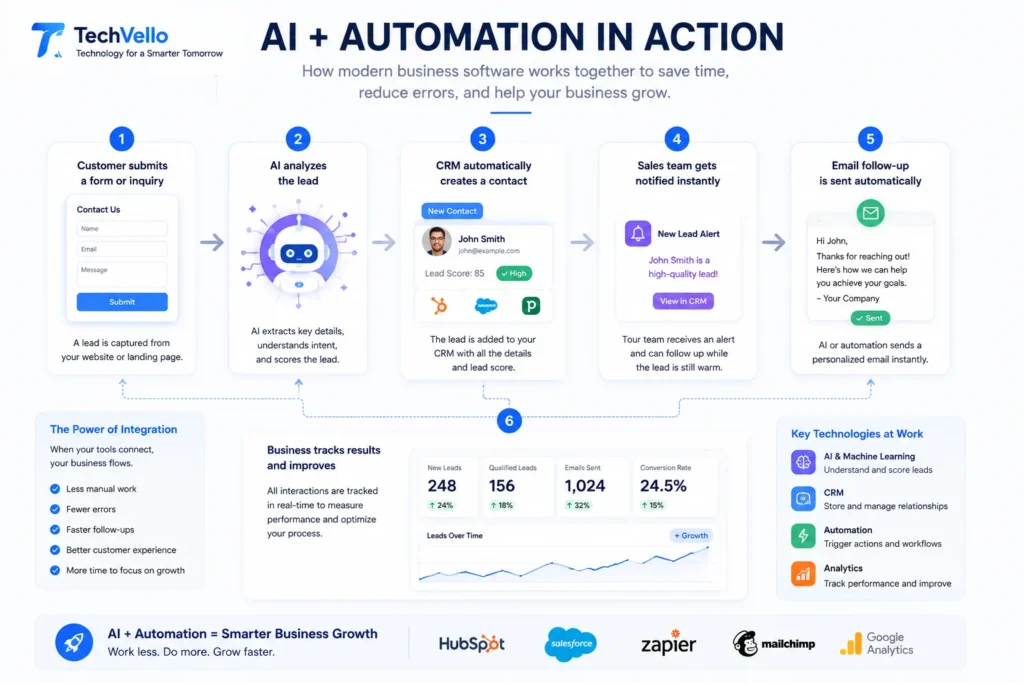
AI is no longer limited to standalone chatbots.
It’s increasingly becoming part of the software businesses already use.
For example, productivity suites can include AI assistants, CRM platforms can summarize customer information, and automation platforms can help businesses build more intelligent workflows.
IDC’s 2026 SMB outlook describes a shift toward more practical AI adoption, with businesses focusing on use cases that can deliver measurable value rather than adopting AI simply for experimentation.
The OECD similarly reports that SMEs are increasingly using off-the-shelf AI applications, while challenges such as skills, maintenance, security, and strategic integration remain.
What Does This Mean for Small Businesses?
You don’t necessarily need a dedicated “AI business platform.”
Instead, look at the software you already use.
Ask:
- Does it have useful AI features?
- Can it automate repetitive work?
- Can it summarize information?
- Can it help employees make decisions?
- Can it reduce administrative work?
- Can it integrate with your other systems?
AI should solve a real business problem.
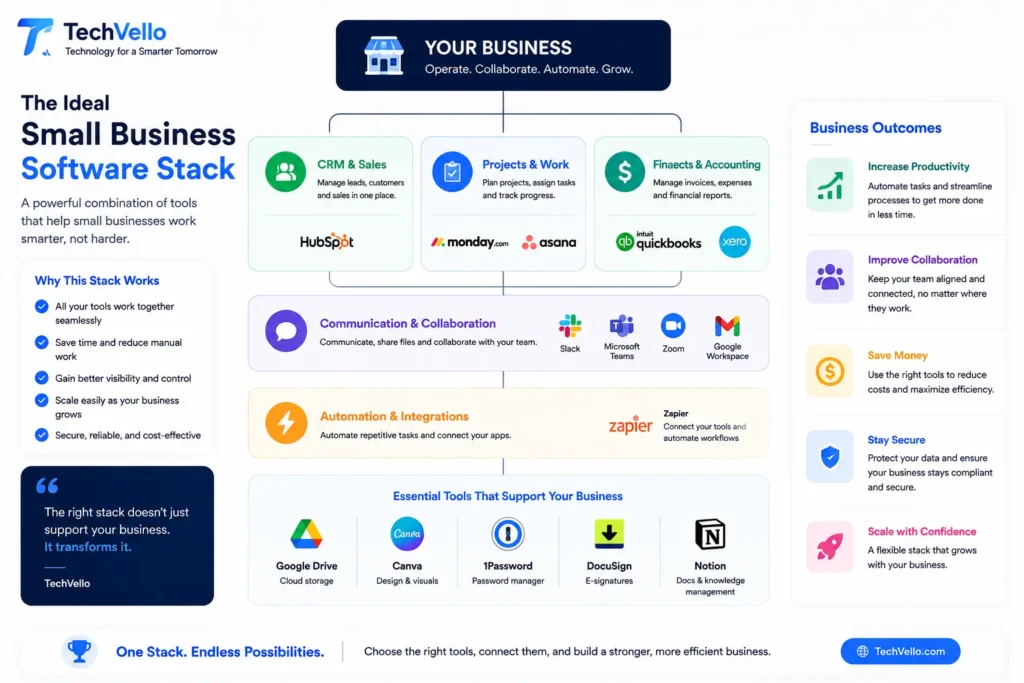
A Simple Business Software Stack for a Small Company
If you’re starting a business today, you don’t need to purchase everything at once.
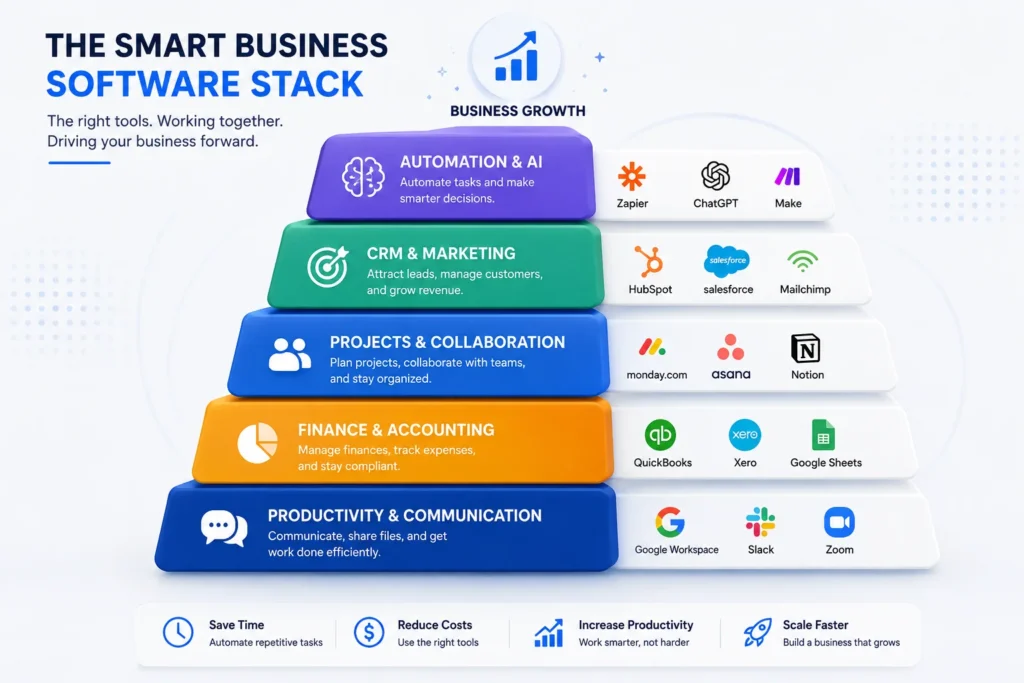
A simple stack might look like this:
Productivity
Microsoft 365 or Google Workspace
CRM
HubSpot
Project Management
monday.com or Asana
Accounting
QuickBooks Online or another accounting platform suitable for your country
Communication
Slack + Zoom
Design
Canva
Security
1Password
Automation
Zapier
This gives a small company coverage across most essential business functions without requiring a massive enterprise system.
Business Software by Use Case
| If You Need… | Consider |
|---|---|
| Business email & documents | Microsoft 365 |
| Cloud collaboration | Google Workspace |
| CRM & sales pipeline | HubSpot |
| Project management | monday.com / Asana |
| Accounting | QuickBooks Online |
| All-in-one business apps | Zoho One |
| Team communication | Slack |
| Video meetings | Zoom |
| Marketing design | Canva |
| Password security | 1Password |
| Workflow automation | Zapier |
Common Business Software Mistakes to Avoid
Buying Too Many Tools
More software doesn’t automatically mean more productivity.
Every new application creates another login, workflow, training requirement, and potential integration problem.
Start with the tools that solve your biggest problems.
Choosing Features Instead of Usability
A platform can have hundreds of features and still be a bad choice if your team doesn’t use them.
A simpler tool that employees actually adopt is often more valuable.
Ignoring Integrations
If your CRM, accounting platform, website, and email system don’t communicate, employees may waste time manually moving data.
Forgetting Security
Business software contains sensitive information.
Use strong authentication, appropriate permissions, password management, backups, and regular access reviews.
Automating Bad Processes
Automation doesn’t fix a broken process.
First simplify the workflow.
Then automate it.
Final Verdict
The best business software for small businesses in 2026 isn’t necessarily the platform with the most features.
It’s the software that solves a real problem without creating unnecessary complexity.
For most small businesses, a practical software stack could start with:
Microsoft 365 or Google Workspace for productivity,
HubSpot for customer management,
monday.com or Asana for projects,
QuickBooks Online for accounting,
Slack and Zoom for communication,
Canva for visual content,
1Password for security,
and Zapier for automation.
As your company grows, you can replace individual tools with more integrated platforms or specialized software.
The important thing is to build your software stack around the way your business actually operates.
Don’t buy software because everyone else is using it.
Identify the bottleneck. Choose the simplest tool that solves it. Measure the result. Then scale.
That’s a much better way to build a modern business technology stack.
Frequently Asked Questions
What is the best business software for small businesses?
There is no single best option for every business. Microsoft 365 and Google Workspace are strong productivity choices, HubSpot is useful for CRM, monday.com and Asana are designed for work management, and QuickBooks Online is focused on accounting.
What software does a small business need?
Most small businesses need software for productivity, communication, customer management, accounting, project management, security, and sometimes marketing and automation.
What is the best free business software?
The answer depends on the task. HubSpot offers a free CRM, while other platforms offer free or limited plans for project management, communication, design, and automation. Always check the current limits before relying on a free plan.
Is business software worth the cost?
It can be, especially when software reduces repetitive work, prevents errors, improves customer management, or saves employees significant time. The best way to evaluate it is to compare the software cost with the value it creates.
Should a small business use AI software?
AI can be useful when it solves a specific business problem, such as reducing repetitive work, summarizing information, improving customer communication, or automating workflows. Businesses should also consider security, employee training, and data privacy.
What is the difference between CRM and business management software?
CRM software focuses primarily on customer relationships, leads, sales, and customer interactions. Business management software is a broader category that can include CRM, accounting, HR, projects, operations, communication, and other functions.
Should I choose an all-in-one business platform?
An all-in-one platform can make sense when you need several connected business functions. However, a small business with simple needs may be better served by a few specialized tools that are easier to use.
How many business software tools does a small company need?
There is no ideal number. Start with the minimum tools required to run your essential workflows. Add another application only when it solves a clear problem that your existing software cannot handle efficiently.
What should I consider before buying business software?
Consider price, usability, integrations, security, scalability, customer support, data ownership, user limits, and the total cost of implementation and training.
[…] 12 Best Business Software for Small Businesses in 2026 […]