
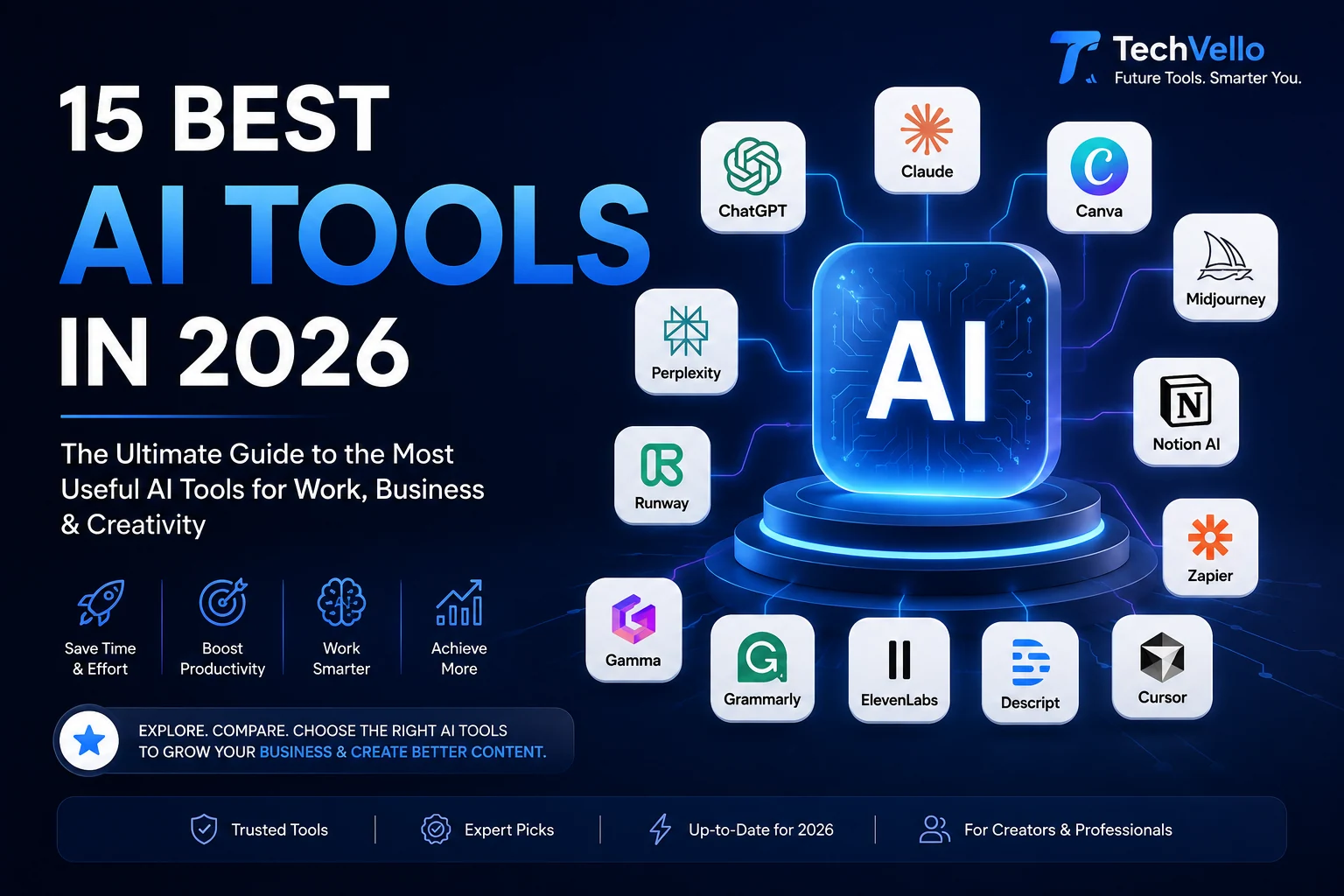
15 Best AI Tools in 2026: The Ultimate Guide to the Most Useful AI Tools
Artificial intelligence has moved far beyond simple chatbots.
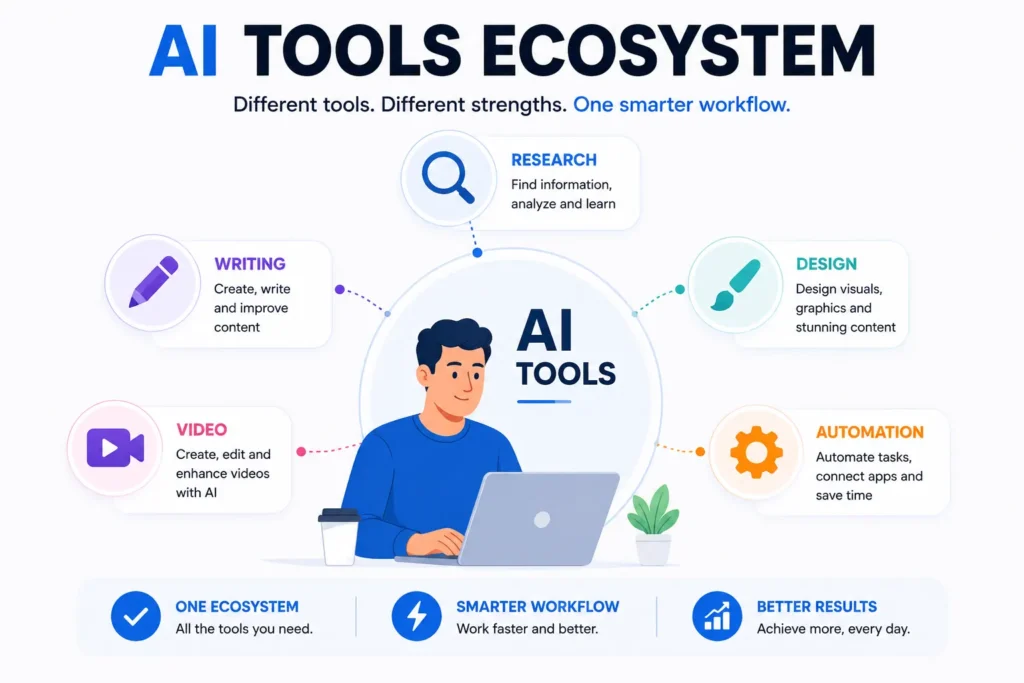
In 2026, AI tools can help you research information, write and edit content, create images and videos, analyze documents, build presentations, automate workflows, manage projects, generate voiceovers, and even complete multi-step tasks.
The problem is no longer finding an AI tool.
The problem is finding the right one.
Thousands of AI products are available today, and many of them appear to offer almost identical features. Some are genuinely useful, while others add an AI label to a product without solving a meaningful problem.
That’s why this guide focuses on use cases rather than hype.
We’ve selected 15 AI tools that cover the most important categories, from everyday AI assistants and research to content creation, design, video, productivity, and automation.
Quick answer: ChatGPT is one of the strongest all-purpose AI assistants, Perplexity is excellent for source-backed web research, Canva is a practical choice for visual content, Notion AI is useful for workspace productivity, Gamma can turn ideas into presentations and documents, and Zapier is particularly useful for connecting AI with business workflows.
Best AI Tools in 2026 at a Glance
| AI Tool | Best For | Category | Free Access |
|---|---|---|---|
| ChatGPT | Everyday AI tasks | AI Assistant | Yes |
| Claude | Writing & reasoning | AI Assistant | Yes/limited |
| Gemini | Google ecosystem & research | AI Assistant | Yes/limited |
| Perplexity | AI-powered research | Search & Research | Yes/limited |
| Microsoft Copilot | Microsoft productivity | Productivity | Yes/paid options |
| Canva | Design & visual content | AI Design | Yes/paid options |
| Midjourney | AI images | Image Generation | Paid |
| Runway | AI video creation | Video | Paid/limited options |
| ElevenLabs | AI voice | Voice | Yes/paid options |
| Grammarly | Writing improvement | Writing | Yes/paid options |
| Notion AI | Workspace & productivity | Productivity | Limited/trial |
| Gamma | Presentations & documents | Presentations | Yes/paid options |
| Zapier | AI automation | Automation | Yes/paid options |
| Descript | AI video & audio editing | Media | Yes/paid options |
| Cursor | AI-assisted coding | Coding | Free/paid options |
Plans, limits, models, and pricing can change frequently. Always check the provider’s current website before subscribing.
What Are AI Tools?
AI tools are software applications that use artificial intelligence to perform or assist with tasks that traditionally required human effort.
Depending on the tool, AI can help with:
- Writing
- Research
- Coding
- Image generation
- Video creation
- Voice generation
- Data analysis
- Summarization
- Translation
- Customer support
- Marketing
- Automation
- Project management
- Presentations
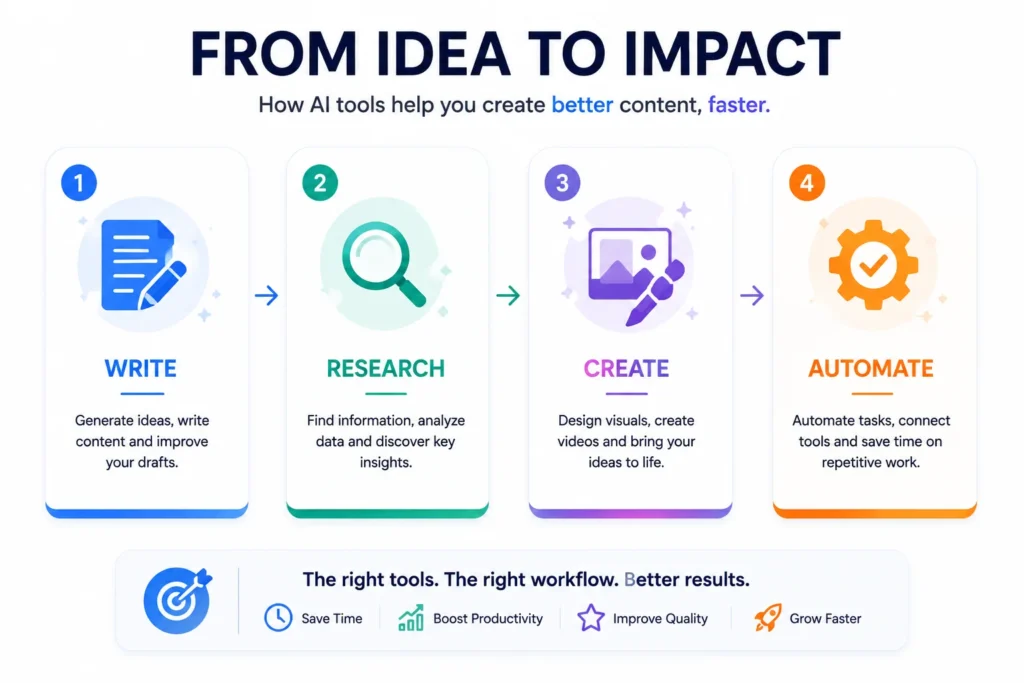
The important distinction is that AI tools are not all designed for the same job.
A research tool may be better at finding and citing information, while an image generator may be completely unsuitable for research.
The best AI stack is therefore not necessarily the one with the most tools.
It’s the one where each tool has a clear purpose.
1. ChatGPT — Best All-Purpose AI Tool
Best for: Writing, brainstorming, research, analysis, coding, planning, and everyday tasks.
ChatGPT is one of the most versatile AI assistants available.
It can help users brainstorm ideas, draft and rewrite content, summarize information, solve problems, translate text, analyze files and images, and perform a wide range of other tasks. OpenAI’s current documentation also describes additional tools and modes that can expand what ChatGPT can do depending on the user’s plan and settings.
What Makes ChatGPT Useful?
Instead of using a separate application for every small task, you can use one conversational interface for many workflows.
For example, a blogger could use it to:
- Research an article topic
- Create an outline
- Generate ideas
- Improve a draft
- Create social media variations
- Analyze uploaded data
- Brainstorm titles
OpenAI has also expanded ChatGPT’s ability to handle longer and more complex tasks, including working with connected apps and files in supported experiences.
Best For
Creators, bloggers, marketers, students, professionals, developers, and small businesses.
Verdict
★★★★★ — Best overall AI assistant
2. Claude — Best for Long-Form Writing and Reasoning
Best for: Writing, analysis, long documents, brainstorming, and complex reasoning.
Claude is another major general-purpose AI assistant.
Claude is particularly attractive for users who work extensively with text, documents, analysis, and structured reasoning.
Why Use Claude?
It can be useful for:
- Long-form writing
- Editing
- Summarization
- Document analysis
- Brainstorming
- Coding
- Research assistance
- Business writing
For writers, one advantage of using multiple AI assistants is that you can compare outputs rather than relying on a single model.
Best For
Writers, researchers, developers, and professionals working with large amounts of text.
Verdict
★★★★★ — Excellent writing and reasoning assistant
3. Gemini — Best for Google Ecosystem Users
Best for: AI assistance, research, productivity, and users already invested in Google’s ecosystem.
Google Gemini is Google’s AI assistant.
Its biggest advantage for many users is its relationship with Google’s broader ecosystem.
If your workflow already revolves around Google products, Gemini can be a natural AI option to explore.
Useful For
- Brainstorming
- Writing
- Research
- Summarization
- Planning
- Productivity
- Multimodal tasks
Who Should Try It?
If you already use Google’s ecosystem heavily, Gemini deserves a place on your shortlist.
Verdict
★★★★☆ — Strong choice for Google-centric workflows
4. Perplexity — Best AI Tool for Research
Best for: Web research, fact-finding, source discovery, and current information.
Perplexity takes a different approach from traditional chatbots.
It works as an AI-powered search engine and provides conversational answers supported by citations and links to original sources. Its current platform includes multiple search modes, including deeper research capabilities.
Why Is Perplexity Useful?
Imagine you’re researching:
“What are the most important AI trends for small businesses in 2026?”
Instead of receiving only a conversational answer, Perplexity can help you discover the underlying sources.
That makes it useful for:
- Blog research
- Market research
- Competitor research
- Product research
- Fact checking
- Topic discovery
Important Tip
AI research tools are not a replacement for checking sources.
For important claims, always open the cited source and verify the information yourself.
Verdict
★★★★★ — Excellent research companion
5. Microsoft Copilot — Best for Microsoft Users
Best for: Productivity, documents, spreadsheets, email, and Microsoft workflows.
Microsoft Copilot is Microsoft’s AI assistant ecosystem.
Its biggest advantage is for users who already depend on Microsoft products and services.
Common Use Cases
- Drafting emails
- Summarizing information
- Brainstorming
- Document assistance
- Productivity
- Data-related tasks
- Workplace workflows
If your business already uses Microsoft 365 heavily, an AI assistant integrated into that environment can be more useful than switching between unrelated tools.
Verdict
★★★★☆ — Strong productivity option for Microsoft users
6. Canva — Best AI Tool for Design
Best for: Social media graphics, presentations, marketing visuals, thumbnails, and branded content.
Canva has evolved from a traditional online design platform into a broader visual-content environment with AI-powered features.
Canva is especially useful for people who need professional-looking visuals without becoming expert graphic designers.
What Can You Create?
- Blog graphics
- Social media posts
- Presentations
- Infographics
- YouTube thumbnails
- Advertisements
- Posters
- Brand assets
Why Canva Stands Out
The biggest advantage isn’t simply AI image generation.
It’s the combination of:
AI + Templates + Design Tools + Brand Management
That makes Canva practical for businesses and creators.
Verdict
★★★★★ — Best practical AI design tool
7. Midjourney — Best for AI Image Generation
Best for: Creative images, concept art, visual experimentation, and high-quality AI-generated artwork.
Midjourney is focused heavily on AI-generated visual content.
It can be useful when you need original visual concepts that would otherwise require photography, illustration, or extensive design work.
Use Cases
- Editorial illustrations
- Concept art
- Creative campaigns
- Visual experimentation
- Backgrounds
- Marketing concepts
When Should You Use It?
Use Midjourney when the goal is creative visual generation rather than simply designing a conventional business graphic.
For straightforward social media layouts and branded graphics, Canva may be easier.
Verdict
★★★★★ — Excellent creative image generator
8. Runway — Best for AI Video Creation
Best for: AI-generated video, creative video production, and visual experimentation.
Runway is designed around AI-powered video creation and editing.
AI video has become one of the fastest-moving areas of generative AI, making tools like Runway particularly interesting for creators and marketers.
What Can AI Video Tools Help With?
Depending on the available model and features, AI video workflows can assist with:
- Generating video concepts
- Creating visual scenes
- Transforming images
- Video editing
- Creative effects
- Storytelling
Best For
Content creators, marketers, filmmakers, and social media teams.
Verdict
★★★★☆ — Powerful option for AI video workflows
9. ElevenLabs — Best AI Voice Tool
Best for: Voiceovers, narration, audio content, and synthetic speech.
ElevenLabs focuses on AI-generated speech and voice technology.
This can be particularly useful for creators who produce:
- YouTube videos
- Short-form videos
- Tutorials
- Podcasts
- Narrated articles
- Educational content
Instead of recording every piece of content manually, creators can use AI voice technology for suitable workflows.
Important Consideration
Voice generation should be used responsibly, especially when creating voices that could be confused with real people.
Verdict
★★★★★ — Strong AI voice platform
10. Grammarly — Best AI Writing Assistant
Best for: Editing, grammar, rewriting, tone, and everyday professional communication.
Grammarly combines writing assistance with generative AI.
Its current AI Writing Assistant is designed to work across many applications and websites, including common productivity and communication environments.
Why Use Grammarly If You Already Have ChatGPT?
Because the tools solve slightly different problems.
ChatGPT is excellent for generating and transforming content.
Grammarly is particularly convenient when you’re already writing inside another application and want assistance with clarity, grammar, tone, and wording.
Best For
- Emails
- Articles
- Business writing
- Reports
- Social media
- Professional communication
Verdict
★★★★☆ — Excellent everyday writing companion
11. Notion AI — Best AI Productivity Workspace
Best for: Notes, documents, project information, knowledge management, and recurring workflows.
Notion AI is built directly into the Notion workspace.
It can work with pages, documents, tasks, databases, and connected information. Current Notion AI features include agents, AI meeting notes, enterprise search, research capabilities, and assistance with creating or editing workspace content.
Why Notion AI Is Different
The biggest advantage is context.
Instead of asking a standalone chatbot about your project, the AI can work inside the workspace where your project information already exists.
For teams, that can be particularly valuable.
Useful For
- Meeting notes
- Project planning
- Knowledge management
- Documentation
- Research
- Task management
- Internal workflows
Verdict
★★★★★ — Excellent AI-powered workspace
12. Gamma — Best for AI Presentations
Best for: Presentations, documents, visual reports, and structured content.
Gamma uses AI to help transform prompts, existing text, or uploaded content into structured presentations, documents, and webpages.
Why Gamma Is Useful
Creating a presentation normally involves several steps:
Research → Outline → Writing → Design → Formatting
Gamma can help combine some of those steps.
This makes it useful for:
- Business presentations
- Pitch decks
- Educational presentations
- Reports
- Proposals
- Internal documents
Verdict
★★★★☆ — Great for fast presentation creation
13. Zapier — Best AI Automation Tool
Best for: Connecting AI with other applications and automating repetitive workflows.
Zapier AI focuses on connecting AI capabilities with business applications and workflows.
Zapier currently positions its AI platform around connecting hundreds of AI tools with thousands of everyday apps and building AI-powered workflows and agents.
Example AI Workflow
Imagine a website receives a new lead.
Instead of:
Lead → Human copies information → Opens CRM → Sends email → Updates spreadsheet
You could create:
Lead → AI analyzes → CRM → Notification → Follow-up
This is where AI becomes much more interesting.
It’s not just generating text.
It’s doing work inside a workflow.
Best For
- Marketing automation
- Lead management
- Customer support
- Content workflows
- Data processing
- Business automation
Verdict
★★★★★ — Excellent AI automation platform
14. Descript — Best for AI Video and Podcast Editing
Best for: Video editing, podcasts, screen recordings, captions, and creator workflows.
Descript approaches video editing differently by making text an important part of the editing workflow.
This can be particularly useful for creators who produce:
- YouTube videos
- Tutorials
- Podcasts
- Interviews
- Screen recordings
- Short-form content
Why Text-Based Editing Matters
Traditional video editing can require navigating a complicated timeline.
A text-based workflow can make it easier to identify and modify spoken content.
For creators producing frequent educational or talking-head content, that can save considerable editing effort.
Verdict
★★★★☆ — Strong creator-focused editing tool
15. Cursor — Best AI Tool for Coding
Best for: Developers, programmers, code generation, debugging, and understanding codebases.
Cursor is an AI-focused coding environment designed to help developers work with code using natural-language instructions.
What Can AI Coding Tools Help With?
- Generate code
- Explain code
- Refactor code
- Debug problems
- Create functions
- Understand unfamiliar code
- Work across larger projects
AI coding tools are particularly powerful for developers who know how to review and validate generated code.
Important Rule
Never assume AI-generated code is automatically correct or secure.
Developers should review outputs, test them, and understand what the code actually does.
Verdict
★★★★★ — Excellent AI coding environment
AI Tools by Category
Choosing from 15 tools can still be overwhelming.
Here’s a simpler way to decide.
| Your Goal | Recommended Tool |
|---|---|
| General AI assistant | ChatGPT |
| Long-form writing | Claude |
| Google ecosystem | Gemini |
| Web research | Perplexity |
| Microsoft productivity | Copilot |
| Graphic design | Canva |
| Creative images | Midjourney |
| AI video | Runway |
| AI voice | ElevenLabs |
| Writing improvement | Grammarly |
| Workspace productivity | Notion AI |
| Presentations | Gamma |
| Automation | Zapier |
| Video/podcast editing | Descript |
| Coding | Cursor |
How to Choose the Right AI Tool
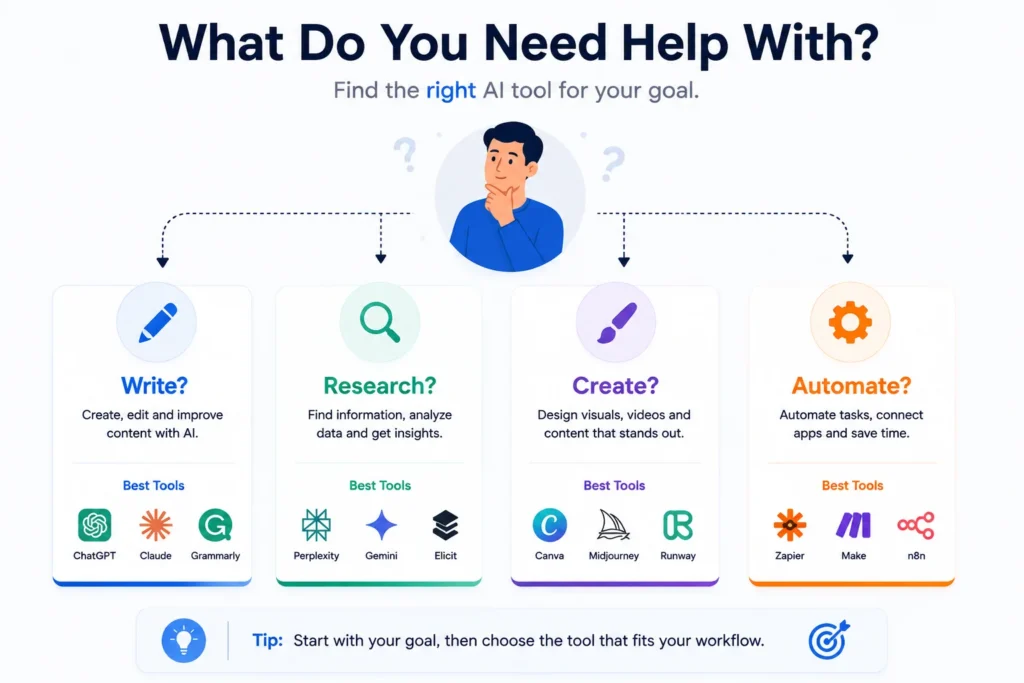
Don’t choose an AI tool because it is trending on social media.
Instead, start with the problem.
1. Identify the Task
Ask:
What am I trying to accomplish?
For example:
I need to research an article.
Look at Perplexity.
I need to create an image.
Look at Midjourney or Canva.
I need to automate repetitive work.
Look at Zapier.
I need to edit a video.
Look at Descript or Runway.
This approach is much more efficient than downloading dozens of AI applications.
2. Look at the Entire Workflow
This is one of the biggest mistakes people make with AI.
They ask:
“What is the best AI writing tool?”
A better question is:
“What is the best workflow for creating and publishing an article?”
For example:
Perplexity
Research
↓
ChatGPT / Claude
Draft
↓
Grammarly
Edit
↓
Canva
Create graphics
↓
WordPress
Publish
↓
Zapier
Automate promotion
Now the AI tools work together as a system.
3. Check Integrations
An AI tool becomes much more valuable when it can work with the software you already use.
Before subscribing, check:
- Integrations
- API availability
- Export options
- Import options
- Supported file formats
- Automation capabilities
- Team permissions
The goal isn’t to collect AI tools.
The goal is to remove friction from your workflow.
4. Don’t Ignore Privacy
AI tools can process sensitive information.
Before uploading confidential documents, customer information, financial records, private company data, or personal information, check:
- Data retention policies
- Training policies
- Enterprise controls
- Encryption
- Access controls
- Data processing agreements
For example, Notion says its AI features follow its data-protection practices and that customer data isn’t used to train models unless the customer opts in.
Never assume every AI platform handles your data in the same way.
Free vs Paid AI Tools: Which Should You Choose?
You don’t need to pay for every AI tool.
In fact, beginners should usually start with free or trial access where available.
Start Free If:
- You’re testing an idea
- You use AI occasionally
- You’re learning
- You don’t need advanced features
- Your workload is small
Consider Paying If:
- You use the tool every day
- It saves significant time
- You need higher usage limits
- You need advanced features
- You need team collaboration
- The tool directly contributes to revenue
The best question isn’t:
“Is this AI tool expensive?”
It’s:
“Does this tool create more value than it costs?”
The Best AI Stack for a Blogger
For a blogger or content creator, you don’t need 20 subscriptions.
A simple stack could look like:
Research
Perplexity
↓
Writing & Brainstorming
ChatGPT or Claude
↓
Editing
Grammarly
↓
Images
Canva or Midjourney
↓
Video
Runway or Descript
↓
Organization
Notion AI
↓
Automation
Zapier
This covers most of the content workflow without creating unnecessary complexity.
The Best AI Stack for a Small Business
A small business could use a different combination:
ChatGPT
For everyday AI assistance
↓
Notion AI
For documentation and internal knowledge
↓
Canva
For marketing materials
↓
Gamma
For presentations
↓
Zapier
For automation
↓
AI Customer Support / CRM
For customer workflows
The exact stack depends on the company’s industry, existing software, team size, and budget.
How AI Tools Are Changing in 2026
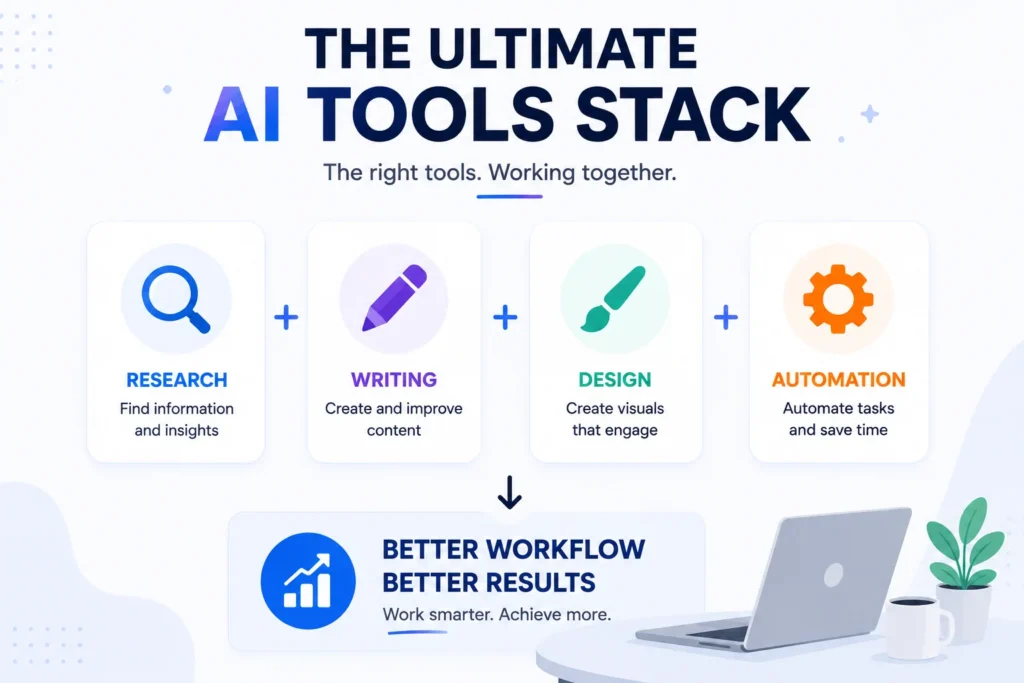
One of the biggest changes in AI isn’t simply that models are getting better.
It’s that AI is increasingly moving from answering questions to completing workflows.
For example, a traditional chatbot might answer:
“How can I qualify a sales lead?”
A workflow-oriented AI system could potentially:
- Receive the lead
- Analyze the information
- Classify the lead
- Update the CRM
- Notify the sales team
- Draft a follow-up
- Record the result
Platforms are increasingly building around this idea of agents and automation. Notion, for example, now describes custom agents that can handle recurring tasks, while Zapier positions its AI offering around connecting AI with business applications and workflows.
This shift matters because the biggest productivity gains may come from redesigning workflows, not simply asking AI to write faster.
Recent analysis of SMB AI adoption similarly points to workflow redesign and measurable outcomes as important factors in moving from AI experimentation to lasting business value.
Common AI Tool Mistakes
Using Too Many Tools
You don’t need 30 AI subscriptions.
Every additional platform adds:
- Cost
- Learning time
- Logins
- Data fragmentation
- Workflow complexity
Start small.
Trusting AI Without Verification
AI can produce incorrect information.
Always verify important:
- Statistics
- Quotes
- Financial information
- Legal information
- Medical information
- Technical instructions
- Current events
Uploading Sensitive Information
Don’t upload confidential information without understanding how the platform handles your data.
Choosing Hype Over Utility
A tool can be viral and still be useless for your workflow.
Choose tools based on the job they actually perform.
Using AI Without Human Review
AI should increase your productivity, not eliminate judgment.
The strongest workflow is often:
Human → AI → Human Review → Final Output
Frequently Asked Questions
What are the best AI tools in 2026?
Some of the most useful AI tools in 2026 include ChatGPT, Claude, Gemini, Perplexity, Canva, Notion AI, Zapier, Gamma, Runway, and other specialized tools. The best choice depends on your specific task.
What is the best AI tool overall?
For general-purpose use, ChatGPT is one of the strongest all-around options because it can handle a wide range of tasks including writing, brainstorming, analysis, coding, and working with files and images.
What is the best free AI tool?
There isn’t one universal answer. ChatGPT offers free access, while many other AI platforms offer free plans, trials, or limited access. The best free option depends on whether you need writing, research, design, video, automation, or another specific capability.
What is the best AI tool for research?
Perplexity is a strong option for web research because its answers include citations and links to sources that users can inspect.
What is the best AI tool for writing?
ChatGPT and Claude are strong general-purpose choices for writing, while Grammarly is particularly useful for editing, rewriting, and improving text inside everyday applications.
What is the best AI image generator?
Midjourney is a strong option for creative AI-generated images, while Canva is often more practical when you need to combine AI-generated content with templates, layouts, branding, and other design elements.
What is the best AI video tool?
Runway is a strong option for generative video workflows, while Descript is particularly useful for editing spoken-content videos and podcasts.
Can AI tools replace employees?
AI can automate certain tasks, but that doesn’t mean it can replace every role. In many businesses, the bigger opportunity is to use AI to remove repetitive work and allow people to focus on judgment, creativity, relationships, and higher-value activities.
Are AI tools worth paying for?
They can be. If an AI tool saves significant time, improves output quality, or helps generate revenue, the subscription can make sense. Start with a free plan or trial when possible and upgrade when the value is clear.
How many AI tools should I use?
Use as few as necessary.
A small collection of complementary tools is usually better than dozens of overlapping subscriptions.
Are AI-generated answers always accurate?
No. AI systems can produce incorrect or outdated information. Important claims should be checked against reliable sources, especially when the information affects financial, legal, medical, or business decisions.
Final Verdict
The AI landscape in 2026 is no longer about finding one magical AI tool.
It’s about building the right combination of tools for your workflow.
For most users, a practical starting stack could be:
ChatGPT → general AI assistance
Perplexity → research
Canva → visual content
Grammarly → editing
Notion AI → organization
Zapier → automation
Then add specialized tools only when you actually need them.
If you’re a creator, you might add Midjourney, Runway, ElevenLabs, or Descript.
If you’re a developer, Cursor may become more important.
If you’re building presentations, Gamma can save time.
The key lesson is simple:
Don’t collect AI tools. Build AI workflows.
The winners won’t necessarily be the people using the most AI applications.
They’ll be the people who know which tool to use, when to use it, and how to connect it to the work that matters.
Artificial intelligence has moved far beyond simple chatbots.
In 2026, AI tools can help you research information, write and edit content, create images and videos, analyze documents, build presentations, automate workflows, manage projects, generate voiceovers, and even complete multi-step tasks.
The problem is no longer finding an AI tool.
The problem is finding the right one.
Thousands of AI products are available today, and many of them appear to offer almost identical features. Some are genuinely useful, while others add an AI label to a product without solving a meaningful problem.
That’s why this guide focuses on use cases rather than hype.
We’ve selected 15 AI tools that cover the most important categories, from everyday AI assistants and research to content creation, design, video, productivity, and automation.
Quick answer: ChatGPT is one of the strongest all-purpose AI assistants, Perplexity is excellent for source-backed web research, Canva is a practical choice for visual content, Notion AI is useful for workspace productivity, Gamma can turn ideas into presentations and documents, and Zapier is particularly useful for connecting AI with business workflows.
Best AI Tools in 2026 at a Glance
| AI Tool | Best For | Category | Free Access |
|---|---|---|---|
| ChatGPT | Everyday AI tasks | AI Assistant | Yes |
| Claude | Writing & reasoning | AI Assistant | Yes/limited |
| Gemini | Google ecosystem & research | AI Assistant | Yes/limited |
| Perplexity | AI-powered research | Search & Research | Yes/limited |
| Microsoft Copilot | Microsoft productivity | Productivity | Yes/paid options |
| Canva | Design & visual content | AI Design | Yes/paid options |
| Midjourney | AI images | Image Generation | Paid |
| Runway | AI video creation | Video | Paid/limited options |
| ElevenLabs | AI voice | Voice | Yes/paid options |
| Grammarly | Writing improvement | Writing | Yes/paid options |
| Notion AI | Workspace & productivity | Productivity | Limited/trial |
| Gamma | Presentations & documents | Presentations | Yes/paid options |
| Zapier | AI automation | Automation | Yes/paid options |
| Descript | AI video & audio editing | Media | Yes/paid options |
| Cursor | AI-assisted coding | Coding | Free/paid options |
Plans, limits, models, and pricing can change frequently. Always check the provider’s current website before subscribing.
What Are AI Tools?
AI tools are software applications that use artificial intelligence to perform or assist with tasks that traditionally required human effort.
Depending on the tool, AI can help with:
- Writing
- Research
- Coding
- Image generation
- Video creation
- Voice generation
- Data analysis
- Summarization
- Translation
- Customer support
- Marketing
- Automation
- Project management
- Presentations
The important distinction is that AI tools are not all designed for the same job.
A research tool may be better at finding and citing information, while an image generator may be completely unsuitable for research.
The best AI stack is therefore not necessarily the one with the most tools.
It’s the one where each tool has a clear purpose.
1. ChatGPT — Best All-Purpose AI Tool
Best for: Writing, brainstorming, research, analysis, coding, planning, and everyday tasks.
ChatGPT is one of the most versatile AI assistants available.
It can help users brainstorm ideas, draft and rewrite content, summarize information, solve problems, translate text, analyze files and images, and perform a wide range of other tasks. OpenAI’s current documentation also describes additional tools and modes that can expand what ChatGPT can do depending on the user’s plan and settings.
What Makes ChatGPT Useful?
Instead of using a separate application for every small task, you can use one conversational interface for many workflows.
For example, a blogger could use it to:
- Research an article topic
- Create an outline
- Generate ideas
- Improve a draft
- Create social media variations
- Analyze uploaded data
- Brainstorm titles
OpenAI has also expanded ChatGPT’s ability to handle longer and more complex tasks, including working with connected apps and files in supported experiences.
Best For
Creators, bloggers, marketers, students, professionals, developers, and small businesses.
Verdict
★★★★★ — Best overall AI assistant
2. Claude — Best for Long-Form Writing and Reasoning
Best for: Writing, analysis, long documents, brainstorming, and complex reasoning.
Claude is another major general-purpose AI assistant.
Claude is particularly attractive for users who work extensively with text, documents, analysis, and structured reasoning.
Why Use Claude?
It can be useful for:
- Long-form writing
- Editing
- Summarization
- Document analysis
- Brainstorming
- Coding
- Research assistance
- Business writing
For writers, one advantage of using multiple AI assistants is that you can compare outputs rather than relying on a single model.
Best For
Writers, researchers, developers, and professionals working with large amounts of text.
Verdict
★★★★★ — Excellent writing and reasoning assistant
3. Gemini — Best for Google Ecosystem Users
Best for: AI assistance, research, productivity, and users already invested in Google’s ecosystem.
Google Gemini is Google’s AI assistant.
Its biggest advantage for many users is its relationship with Google’s broader ecosystem.
If your workflow already revolves around Google products, Gemini can be a natural AI option to explore.
Useful For
- Brainstorming
- Writing
- Research
- Summarization
- Planning
- Productivity
- Multimodal tasks
Who Should Try It?
If you already use Google’s ecosystem heavily, Gemini deserves a place on your shortlist.
Verdict
★★★★☆ — Strong choice for Google-centric workflows
4. Perplexity — Best AI Tool for Research
Best for: Web research, fact-finding, source discovery, and current information.
Perplexity takes a different approach from traditional chatbots.
It works as an AI-powered search engine and provides conversational answers supported by citations and links to original sources. Its current platform includes multiple search modes, including deeper research capabilities.
Why Is Perplexity Useful?
Imagine you’re researching:
“What are the most important AI trends for small businesses in 2026?”
Instead of receiving only a conversational answer, Perplexity can help you discover the underlying sources.
That makes it useful for:
- Blog research
- Market research
- Competitor research
- Product research
- Fact checking
- Topic discovery
Important Tip
AI research tools are not a replacement for checking sources.
For important claims, always open the cited source and verify the information yourself.
Verdict
★★★★★ — Excellent research companion
5. Microsoft Copilot — Best for Microsoft Users
Best for: Productivity, documents, spreadsheets, email, and Microsoft workflows.
Microsoft Copilot is Microsoft’s AI assistant ecosystem.
Its biggest advantage is for users who already depend on Microsoft products and services.
Common Use Cases
- Drafting emails
- Summarizing information
- Brainstorming
- Document assistance
- Productivity
- Data-related tasks
- Workplace workflows
If your business already uses Microsoft 365 heavily, an AI assistant integrated into that environment can be more useful than switching between unrelated tools.
Verdict
★★★★☆ — Strong productivity option for Microsoft users
6. Canva — Best AI Tool for Design
Best for: Social media graphics, presentations, marketing visuals, thumbnails, and branded content.
Canva has evolved from a traditional online design platform into a broader visual-content environment with AI-powered features.
Canva is especially useful for people who need professional-looking visuals without becoming expert graphic designers.
What Can You Create?
- Blog graphics
- Social media posts
- Presentations
- Infographics
- YouTube thumbnails
- Advertisements
- Posters
- Brand assets
Why Canva Stands Out
The biggest advantage isn’t simply AI image generation.
It’s the combination of:
AI + Templates + Design Tools + Brand Management
That makes Canva practical for businesses and creators.
Verdict
★★★★★ — Best practical AI design tool
7. Midjourney — Best for AI Image Generation
Best for: Creative images, concept art, visual experimentation, and high-quality AI-generated artwork.
Midjourney is focused heavily on AI-generated visual content.
It can be useful when you need original visual concepts that would otherwise require photography, illustration, or extensive design work.
Use Cases
- Editorial illustrations
- Concept art
- Creative campaigns
- Visual experimentation
- Backgrounds
- Marketing concepts
When Should You Use It?
Use Midjourney when the goal is creative visual generation rather than simply designing a conventional business graphic.
For straightforward social media layouts and branded graphics, Canva may be easier.
Verdict
★★★★★ — Excellent creative image generator
8. Runway — Best for AI Video Creation
Best for: AI-generated video, creative video production, and visual experimentation.
Runway is designed around AI-powered video creation and editing.
AI video has become one of the fastest-moving areas of generative AI, making tools like Runway particularly interesting for creators and marketers.
What Can AI Video Tools Help With?
Depending on the available model and features, AI video workflows can assist with:
- Generating video concepts
- Creating visual scenes
- Transforming images
- Video editing
- Creative effects
- Storytelling
Best For
Content creators, marketers, filmmakers, and social media teams.
Verdict
★★★★☆ — Powerful option for AI video workflows
9. ElevenLabs — Best AI Voice Tool
Best for: Voiceovers, narration, audio content, and synthetic speech.
ElevenLabs focuses on AI-generated speech and voice technology.
This can be particularly useful for creators who produce:
- YouTube videos
- Short-form videos
- Tutorials
- Podcasts
- Narrated articles
- Educational content
Instead of recording every piece of content manually, creators can use AI voice technology for suitable workflows.
Important Consideration
Voice generation should be used responsibly, especially when creating voices that could be confused with real people.
Verdict
★★★★★ — Strong AI voice platform
10. Grammarly — Best AI Writing Assistant
Best for: Editing, grammar, rewriting, tone, and everyday professional communication.
Grammarly combines writing assistance with generative AI.
Its current AI Writing Assistant is designed to work across many applications and websites, including common productivity and communication environments.
Why Use Grammarly If You Already Have ChatGPT?
Because the tools solve slightly different problems.
ChatGPT is excellent for generating and transforming content.
Grammarly is particularly convenient when you’re already writing inside another application and want assistance with clarity, grammar, tone, and wording.
Best For
- Emails
- Articles
- Business writing
- Reports
- Social media
- Professional communication
Verdict
★★★★☆ — Excellent everyday writing companion
11. Notion AI — Best AI Productivity Workspace
Best for: Notes, documents, project information, knowledge management, and recurring workflows.
Notion AI is built directly into the Notion workspace.
It can work with pages, documents, tasks, databases, and connected information. Current Notion AI features include agents, AI meeting notes, enterprise search, research capabilities, and assistance with creating or editing workspace content.
Why Notion AI Is Different
The biggest advantage is context.
Instead of asking a standalone chatbot about your project, the AI can work inside the workspace where your project information already exists.
For teams, that can be particularly valuable.
Useful For
- Meeting notes
- Project planning
- Knowledge management
- Documentation
- Research
- Task management
- Internal workflows
Verdict
★★★★★ — Excellent AI-powered workspace
12. Gamma — Best for AI Presentations
Best for: Presentations, documents, visual reports, and structured content.
Gamma uses AI to help transform prompts, existing text, or uploaded content into structured presentations, documents, and webpages.
Why Gamma Is Useful
Creating a presentation normally involves several steps:
Research → Outline → Writing → Design → Formatting
Gamma can help combine some of those steps.
This makes it useful for:
- Business presentations
- Pitch decks
- Educational presentations
- Reports
- Proposals
- Internal documents
Verdict
★★★★☆ — Great for fast presentation creation
13. Zapier — Best AI Automation Tool
Best for: Connecting AI with other applications and automating repetitive workflows.
Zapier AI focuses on connecting AI capabilities with business applications and workflows.
Zapier currently positions its AI platform around connecting hundreds of AI tools with thousands of everyday apps and building AI-powered workflows and agents.
Example AI Workflow
Imagine a website receives a new lead.
Instead of:
Lead → Human copies information → Opens CRM → Sends email → Updates spreadsheet
You could create:
Lead → AI analyzes → CRM → Notification → Follow-up
This is where AI becomes much more interesting.
It’s not just generating text.
It’s doing work inside a workflow.
Best For
- Marketing automation
- Lead management
- Customer support
- Content workflows
- Data processing
- Business automation
Verdict
★★★★★ — Excellent AI automation platform
14. Descript — Best for AI Video and Podcast Editing
Best for: Video editing, podcasts, screen recordings, captions, and creator workflows.
Descript approaches video editing differently by making text an important part of the editing workflow.
This can be particularly useful for creators who produce:
- YouTube videos
- Tutorials
- Podcasts
- Interviews
- Screen recordings
- Short-form content
Why Text-Based Editing Matters
Traditional video editing can require navigating a complicated timeline.
A text-based workflow can make it easier to identify and modify spoken content.
For creators producing frequent educational or talking-head content, that can save considerable editing effort.
Verdict
★★★★☆ — Strong creator-focused editing tool
15. Cursor — Best AI Tool for Coding
Best for: Developers, programmers, code generation, debugging, and understanding codebases.
Cursor is an AI-focused coding environment designed to help developers work with code using natural-language instructions.
What Can AI Coding Tools Help With?
- Generate code
- Explain code
- Refactor code
- Debug problems
- Create functions
- Understand unfamiliar code
- Work across larger projects
AI coding tools are particularly powerful for developers who know how to review and validate generated code.
Important Rule
Never assume AI-generated code is automatically correct or secure.
Developers should review outputs, test them, and understand what the code actually does.
Verdict
★★★★★ — Excellent AI coding environment
AI Tools by Category
Choosing from 15 tools can still be overwhelming.
Here’s a simpler way to decide.
| Your Goal | Recommended Tool |
|---|---|
| General AI assistant | ChatGPT |
| Long-form writing | Claude |
| Google ecosystem | Gemini |
| Web research | Perplexity |
| Microsoft productivity | Copilot |
| Graphic design | Canva |
| Creative images | Midjourney |
| AI video | Runway |
| AI voice | ElevenLabs |
| Writing improvement | Grammarly |
| Workspace productivity | Notion AI |
| Presentations | Gamma |
| Automation | Zapier |
| Video/podcast editing | Descript |
| Coding | Cursor |
How to Choose the Right AI Tool
Don’t choose an AI tool because it is trending on social media.
Instead, start with the problem.
1. Identify the Task
Ask:
What am I trying to accomplish?
For example:
I need to research an article.
Look at Perplexity.
I need to create an image.
Look at Midjourney or Canva.
I need to automate repetitive work.
Look at Zapier.
I need to edit a video.
Look at Descript or Runway.
This approach is much more efficient than downloading dozens of AI applications.
2. Look at the Entire Workflow
This is one of the biggest mistakes people make with AI.
They ask:
“What is the best AI writing tool?”
A better question is:
“What is the best workflow for creating and publishing an article?”
For example:
Perplexity
Research
↓
ChatGPT / Claude
Draft
↓
Grammarly
Edit
↓
Canva
Create graphics
↓
WordPress
Publish
↓
Zapier
Automate promotion
Now the AI tools work together as a system.
3. Check Integrations
An AI tool becomes much more valuable when it can work with the software you already use.
Before subscribing, check:
- Integrations
- API availability
- Export options
- Import options
- Supported file formats
- Automation capabilities
- Team permissions
The goal isn’t to collect AI tools.
The goal is to remove friction from your workflow.
4. Don’t Ignore Privacy
AI tools can process sensitive information.
Before uploading confidential documents, customer information, financial records, private company data, or personal information, check:
- Data retention policies
- Training policies
- Enterprise controls
- Encryption
- Access controls
- Data processing agreements
For example, Notion says its AI features follow its data-protection practices and that customer data isn’t used to train models unless the customer opts in.
Never assume every AI platform handles your data in the same way.
Free vs Paid AI Tools: Which Should You Choose?
You don’t need to pay for every AI tool.
In fact, beginners should usually start with free or trial access where available.
Start Free If:
- You’re testing an idea
- You use AI occasionally
- You’re learning
- You don’t need advanced features
- Your workload is small
Consider Paying If:
- You use the tool every day
- It saves significant time
- You need higher usage limits
- You need advanced features
- You need team collaboration
- The tool directly contributes to revenue
The best question isn’t:
“Is this AI tool expensive?”
It’s:
“Does this tool create more value than it costs?”
The Best AI Stack for a Blogger
For a blogger or content creator, you don’t need 20 subscriptions.
A simple stack could look like:
Research
Perplexity
↓
Writing & Brainstorming
ChatGPT or Claude
↓
Editing
Grammarly
↓
Images
Canva or Midjourney
↓
Video
Runway or Descript
↓
Organization
Notion AI
↓
Automation
Zapier
This covers most of the content workflow without creating unnecessary complexity.
The Best AI Stack for a Small Business
A small business could use a different combination:
ChatGPT
For everyday AI assistance
↓
Notion AI
For documentation and internal knowledge
↓
Canva
For marketing materials
↓
Gamma
For presentations
↓
Zapier
For automation
↓
AI Customer Support / CRM
For customer workflows
The exact stack depends on the company’s industry, existing software, team size, and budget.
How AI Tools Are Changing in 2026
One of the biggest changes in AI isn’t simply that models are getting better.
It’s that AI is increasingly moving from answering questions to completing workflows.
For example, a traditional chatbot might answer:
“How can I qualify a sales lead?”
A workflow-oriented AI system could potentially:
- Receive the lead
- Analyze the information
- Classify the lead
- Update the CRM
- Notify the sales team
- Draft a follow-up
- Record the result
Platforms are increasingly building around this idea of agents and automation. Notion, for example, now describes custom agents that can handle recurring tasks, while Zapier positions its AI offering around connecting AI with business applications and workflows.
This shift matters because the biggest productivity gains may come from redesigning workflows, not simply asking AI to write faster.
Recent analysis of SMB AI adoption similarly points to workflow redesign and measurable outcomes as important factors in moving from AI experimentation to lasting business value.
Common AI Tool Mistakes
Using Too Many Tools
You don’t need 30 AI subscriptions.
Every additional platform adds:
- Cost
- Learning time
- Logins
- Data fragmentation
- Workflow complexity
Start small.
Trusting AI Without Verification
AI can produce incorrect information.
Always verify important:
- Statistics
- Quotes
- Financial information
- Legal information
- Medical information
- Technical instructions
- Current events
Uploading Sensitive Information
Don’t upload confidential information without understanding how the platform handles your data.
Choosing Hype Over Utility
A tool can be viral and still be useless for your workflow.
Choose tools based on the job they actually perform.
Using AI Without Human Review
AI should increase your productivity, not eliminate judgment.
The strongest workflow is often:
Human → AI → Human Review → Final Output
Frequently Asked Questions
What are the best AI tools in 2026?
Some of the most useful AI tools in 2026 include ChatGPT, Claude, Gemini, Perplexity, Canva, Notion AI, Zapier, Gamma, Runway, and other specialized tools. The best choice depends on your specific task.
What is the best AI tool overall?
For general-purpose use, ChatGPT is one of the strongest all-around options because it can handle a wide range of tasks including writing, brainstorming, analysis, coding, and working with files and images.
What is the best free AI tool?
There isn’t one universal answer. ChatGPT offers free access, while many other AI platforms offer free plans, trials, or limited access. The best free option depends on whether you need writing, research, design, video, automation, or another specific capability.
What is the best AI tool for research?
Perplexity is a strong option for web research because its answers include citations and links to sources that users can inspect.
What is the best AI tool for writing?
ChatGPT and Claude are strong general-purpose choices for writing, while Grammarly is particularly useful for editing, rewriting, and improving text inside everyday applications.
What is the best AI image generator?
Midjourney is a strong option for creative AI-generated images, while Canva is often more practical when you need to combine AI-generated content with templates, layouts, branding, and other design elements.
What is the best AI video tool?
Runway is a strong option for generative video workflows, while Descript is particularly useful for editing spoken-content videos and podcasts.
Can AI tools replace employees?
AI can automate certain tasks, but that doesn’t mean it can replace every role. In many businesses, the bigger opportunity is to use AI to remove repetitive work and allow people to focus on judgment, creativity, relationships, and higher-value activities.
Are AI tools worth paying for?
They can be. If an AI tool saves significant time, improves output quality, or helps generate revenue, the subscription can make sense. Start with a free plan or trial when possible and upgrade when the value is clear.
How many AI tools should I use?
Use as few as necessary.
A small collection of complementary tools is usually better than dozens of overlapping subscriptions.
Are AI-generated answers always accurate?
No. AI systems can produce incorrect or outdated information. Important claims should be checked against reliable sources, especially when the information affects financial, legal, medical, or business decisions.
Final Verdict
The AI landscape in 2026 is no longer about finding one magical AI tool.
It’s about building the right combination of tools for your workflow.
For most users, a practical starting stack could be:
ChatGPT → general AI assistance
Perplexity → research
Canva → visual content
Grammarly → editing
Notion AI → organization
Zapier → automation
Then add specialized tools only when you actually need them.
If you’re a creator, you might add Midjourney, Runway, ElevenLabs, or Descript.
If you’re a developer, Cursor may become more important.
If you’re building presentations, Gamma can save time.
The key lesson is simple:
Don’t collect AI tools. Build AI workflows.
The winners won’t necessarily be the people using the most AI applications.
They’ll be the people who know which tool to use, when to use it, and how to connect it to the work that matters.
15 Best AI Tools in 2026: The Ultimate Guide to the Most Useful AI Tools
Artificial intelligence has moved far beyond simple chatbots.
In 2026, AI tools can help you research information, write and edit content, create images and videos, analyze documents, build presentations, automate workflows, manage projects, generate voiceovers, and even complete multi-step tasks.
The problem is no longer finding an AI tool.
The problem is finding the right one.
Thousands of AI products are available today, and many of them appear to offer almost identical features. Some are genuinely useful, while others add an AI label to a product without solving a meaningful problem.
That’s why this guide focuses on use cases rather than hype.
We’ve selected 15 AI tools that cover the most important categories, from everyday AI assistants and research to content creation, design, video, productivity, and automation.
Quick answer: ChatGPT is one of the strongest all-purpose AI assistants, Perplexity is excellent for source-backed web research, Canva is a practical choice for visual content, Notion AI is useful for workspace productivity, Gamma can turn ideas into presentations and documents, and Zapier is particularly useful for connecting AI with business workflows.
Best AI Tools in 2026 at a Glance
| AI Tool | Best For | Category | Free Access |
|---|---|---|---|
| ChatGPT | Everyday AI tasks | AI Assistant | Yes |
| Claude | Writing & reasoning | AI Assistant | Yes/limited |
| Gemini | Google ecosystem & research | AI Assistant | Yes/limited |
| Perplexity | AI-powered research | Search & Research | Yes/limited |
| Microsoft Copilot | Microsoft productivity | Productivity | Yes/paid options |
| Canva | Design & visual content | AI Design | Yes/paid options |
| Midjourney | AI images | Image Generation | Paid |
| Runway | AI video creation | Video | Paid/limited options |
| ElevenLabs | AI voice | Voice | Yes/paid options |
| Grammarly | Writing improvement | Writing | Yes/paid options |
| Notion AI | Workspace & productivity | Productivity | Limited/trial |
| Gamma | Presentations & documents | Presentations | Yes/paid options |
| Zapier | AI automation | Automation | Yes/paid options |
| Descript | AI video & audio editing | Media | Yes/paid options |
| Cursor | AI-assisted coding | Coding | Free/paid options |
Plans, limits, models, and pricing can change frequently. Always check the provider’s current website before subscribing.
What Are AI Tools?
AI tools are software applications that use artificial intelligence to perform or assist with tasks that traditionally required human effort.
Depending on the tool, AI can help with:
- Writing
- Research
- Coding
- Image generation
- Video creation
- Voice generation
- Data analysis
- Summarization
- Translation
- Customer support
- Marketing
- Automation
- Project management
- Presentations
The important distinction is that AI tools are not all designed for the same job.
A research tool may be better at finding and citing information, while an image generator may be completely unsuitable for research.
The best AI stack is therefore not necessarily the one with the most tools.
It’s the one where each tool has a clear purpose.
1. ChatGPT — Best All-Purpose AI Tool
Best for: Writing, brainstorming, research, analysis, coding, planning, and everyday tasks.
ChatGPT is one of the most versatile AI assistants available.
It can help users brainstorm ideas, draft and rewrite content, summarize information, solve problems, translate text, analyze files and images, and perform a wide range of other tasks. OpenAI’s current documentation also describes additional tools and modes that can expand what ChatGPT can do depending on the user’s plan and settings.
What Makes ChatGPT Useful?
Instead of using a separate application for every small task, you can use one conversational interface for many workflows.
For example, a blogger could use it to:
- Research an article topic
- Create an outline
- Generate ideas
- Improve a draft
- Create social media variations
- Analyze uploaded data
- Brainstorm titles
OpenAI has also expanded ChatGPT’s ability to handle longer and more complex tasks, including working with connected apps and files in supported experiences.
Best For
Creators, bloggers, marketers, students, professionals, developers, and small businesses.
Verdict
★★★★★ — Best overall AI assistant
2. Claude — Best for Long-Form Writing and Reasoning
Best for: Writing, analysis, long documents, brainstorming, and complex reasoning.
Claude is another major general-purpose AI assistant.
Claude is particularly attractive for users who work extensively with text, documents, analysis, and structured reasoning.
Why Use Claude?
It can be useful for:
- Long-form writing
- Editing
- Summarization
- Document analysis
- Brainstorming
- Coding
- Research assistance
- Business writing
For writers, one advantage of using multiple AI assistants is that you can compare outputs rather than relying on a single model.
Best For
Writers, researchers, developers, and professionals working with large amounts of text.
Verdict
★★★★★ — Excellent writing and reasoning assistant
3. Gemini — Best for Google Ecosystem Users
Best for: AI assistance, research, productivity, and users already invested in Google’s ecosystem.
Google Gemini is Google’s AI assistant.
Its biggest advantage for many users is its relationship with Google’s broader ecosystem.
If your workflow already revolves around Google products, Gemini can be a natural AI option to explore.
Useful For
- Brainstorming
- Writing
- Research
- Summarization
- Planning
- Productivity
- Multimodal tasks
Who Should Try It?
If you already use Google’s ecosystem heavily, Gemini deserves a place on your shortlist.
Verdict
★★★★☆ — Strong choice for Google-centric workflows
4. Perplexity — Best AI Tool for Research
Best for: Web research, fact-finding, source discovery, and current information.
Perplexity takes a different approach from traditional chatbots.
It works as an AI-powered search engine and provides conversational answers supported by citations and links to original sources. Its current platform includes multiple search modes, including deeper research capabilities.
Why Is Perplexity Useful?
Imagine you’re researching:
“What are the most important AI trends for small businesses in 2026?”
Instead of receiving only a conversational answer, Perplexity can help you discover the underlying sources.
That makes it useful for:
- Blog research
- Market research
- Competitor research
- Product research
- Fact checking
- Topic discovery
Important Tip
AI research tools are not a replacement for checking sources.
For important claims, always open the cited source and verify the information yourself.
Verdict
★★★★★ — Excellent research companion
5. Microsoft Copilot — Best for Microsoft Users
Best for: Productivity, documents, spreadsheets, email, and Microsoft workflows.
Microsoft Copilot is Microsoft’s AI assistant ecosystem.
Its biggest advantage is for users who already depend on Microsoft products and services.
Common Use Cases
- Drafting emails
- Summarizing information
- Brainstorming
- Document assistance
- Productivity
- Data-related tasks
- Workplace workflows
If your business already uses Microsoft 365 heavily, an AI assistant integrated into that environment can be more useful than switching between unrelated tools.
Verdict
★★★★☆ — Strong productivity option for Microsoft users
6. Canva — Best AI Tool for Design
Best for: Social media graphics, presentations, marketing visuals, thumbnails, and branded content.
Canva has evolved from a traditional online design platform into a broader visual-content environment with AI-powered features.
Canva is especially useful for people who need professional-looking visuals without becoming expert graphic designers.
What Can You Create?
- Blog graphics
- Social media posts
- Presentations
- Infographics
- YouTube thumbnails
- Advertisements
- Posters
- Brand assets
Why Canva Stands Out
The biggest advantage isn’t simply AI image generation.
It’s the combination of:
AI + Templates + Design Tools + Brand Management
That makes Canva practical for businesses and creators.
Verdict
★★★★★ — Best practical AI design tool
7. Midjourney — Best for AI Image Generation
Best for: Creative images, concept art, visual experimentation, and high-quality AI-generated artwork.
Midjourney is focused heavily on AI-generated visual content.
It can be useful when you need original visual concepts that would otherwise require photography, illustration, or extensive design work.
Use Cases
- Editorial illustrations
- Concept art
- Creative campaigns
- Visual experimentation
- Backgrounds
- Marketing concepts
When Should You Use It?
Use Midjourney when the goal is creative visual generation rather than simply designing a conventional business graphic.
For straightforward social media layouts and branded graphics, Canva may be easier.
Verdict
★★★★★ — Excellent creative image generator
8. Runway — Best for AI Video Creation
Best for: AI-generated video, creative video production, and visual experimentation.
Runway is designed around AI-powered video creation and editing.
AI video has become one of the fastest-moving areas of generative AI, making tools like Runway particularly interesting for creators and marketers.
What Can AI Video Tools Help With?
Depending on the available model and features, AI video workflows can assist with:
- Generating video concepts
- Creating visual scenes
- Transforming images
- Video editing
- Creative effects
- Storytelling
Best For
Content creators, marketers, filmmakers, and social media teams.
Verdict
★★★★☆ — Powerful option for AI video workflows
9. ElevenLabs — Best AI Voice Tool
Best for: Voiceovers, narration, audio content, and synthetic speech.
ElevenLabs focuses on AI-generated speech and voice technology.
This can be particularly useful for creators who produce:
- YouTube videos
- Short-form videos
- Tutorials
- Podcasts
- Narrated articles
- Educational content
Instead of recording every piece of content manually, creators can use AI voice technology for suitable workflows.
Important Consideration
Voice generation should be used responsibly, especially when creating voices that could be confused with real people.
Verdict
★★★★★ — Strong AI voice platform
10. Grammarly — Best AI Writing Assistant
Best for: Editing, grammar, rewriting, tone, and everyday professional communication.
Grammarly combines writing assistance with generative AI.
Its current AI Writing Assistant is designed to work across many applications and websites, including common productivity and communication environments.
Why Use Grammarly If You Already Have ChatGPT?
Because the tools solve slightly different problems.
ChatGPT is excellent for generating and transforming content.
Grammarly is particularly convenient when you’re already writing inside another application and want assistance with clarity, grammar, tone, and wording.
Best For
- Emails
- Articles
- Business writing
- Reports
- Social media
- Professional communication
Verdict
★★★★☆ — Excellent everyday writing companion
11. Notion AI — Best AI Productivity Workspace
Best for: Notes, documents, project information, knowledge management, and recurring workflows.
Notion AI is built directly into the Notion workspace.
It can work with pages, documents, tasks, databases, and connected information. Current Notion AI features include agents, AI meeting notes, enterprise search, research capabilities, and assistance with creating or editing workspace content.
Why Notion AI Is Different
The biggest advantage is context.
Instead of asking a standalone chatbot about your project, the AI can work inside the workspace where your project information already exists.
For teams, that can be particularly valuable.
Useful For
- Meeting notes
- Project planning
- Knowledge management
- Documentation
- Research
- Task management
- Internal workflows
Verdict
★★★★★ — Excellent AI-powered workspace
12. Gamma — Best for AI Presentations
Best for: Presentations, documents, visual reports, and structured content.
Gamma uses AI to help transform prompts, existing text, or uploaded content into structured presentations, documents, and webpages.
Why Gamma Is Useful
Creating a presentation normally involves several steps:
Research → Outline → Writing → Design → Formatting
Gamma can help combine some of those steps.
This makes it useful for:
- Business presentations
- Pitch decks
- Educational presentations
- Reports
- Proposals
- Internal documents
Verdict
★★★★☆ — Great for fast presentation creation
13. Zapier — Best AI Automation Tool
Best for: Connecting AI with other applications and automating repetitive workflows.
Zapier AI focuses on connecting AI capabilities with business applications and workflows.
Zapier currently positions its AI platform around connecting hundreds of AI tools with thousands of everyday apps and building AI-powered workflows and agents.
Example AI Workflow
Imagine a website receives a new lead.
Instead of:
Lead → Human copies information → Opens CRM → Sends email → Updates spreadsheet
You could create:
Lead → AI analyzes → CRM → Notification → Follow-up
This is where AI becomes much more interesting.
It’s not just generating text.
It’s doing work inside a workflow.
Best For
- Marketing automation
- Lead management
- Customer support
- Content workflows
- Data processing
- Business automation
Verdict
★★★★★ — Excellent AI automation platform
14. Descript — Best for AI Video and Podcast Editing
Best for: Video editing, podcasts, screen recordings, captions, and creator workflows.
Descript approaches video editing differently by making text an important part of the editing workflow.
This can be particularly useful for creators who produce:
- YouTube videos
- Tutorials
- Podcasts
- Interviews
- Screen recordings
- Short-form content
Why Text-Based Editing Matters
Traditional video editing can require navigating a complicated timeline.
A text-based workflow can make it easier to identify and modify spoken content.
For creators producing frequent educational or talking-head content, that can save considerable editing effort.
Verdict
★★★★☆ — Strong creator-focused editing tool
15. Cursor — Best AI Tool for Coding
Best for: Developers, programmers, code generation, debugging, and understanding codebases.
Cursor is an AI-focused coding environment designed to help developers work with code using natural-language instructions.
What Can AI Coding Tools Help With?
- Generate code
- Explain code
- Refactor code
- Debug problems
- Create functions
- Understand unfamiliar code
- Work across larger projects
AI coding tools are particularly powerful for developers who know how to review and validate generated code.
Important Rule
Never assume AI-generated code is automatically correct or secure.
Developers should review outputs, test them, and understand what the code actually does.
Verdict
★★★★★ — Excellent AI coding environment
AI Tools by Category
Choosing from 15 tools can still be overwhelming.
Here’s a simpler way to decide.
| Your Goal | Recommended Tool |
|---|---|
| General AI assistant | ChatGPT |
| Long-form writing | Claude |
| Google ecosystem | Gemini |
| Web research | Perplexity |
| Microsoft productivity | Copilot |
| Graphic design | Canva |
| Creative images | Midjourney |
| AI video | Runway |
| AI voice | ElevenLabs |
| Writing improvement | Grammarly |
| Workspace productivity | Notion AI |
| Presentations | Gamma |
| Automation | Zapier |
| Video/podcast editing | Descript |
| Coding | Cursor |
How to Choose the Right AI Tool
Don’t choose an AI tool because it is trending on social media.
Instead, start with the problem.
1. Identify the Task
Ask:
What am I trying to accomplish?
For example:
I need to research an article.
Look at Perplexity.
I need to create an image.
Look at Midjourney or Canva.
I need to automate repetitive work.
Look at Zapier.
I need to edit a video.
Look at Descript or Runway.
This approach is much more efficient than downloading dozens of AI applications.
2. Look at the Entire Workflow
This is one of the biggest mistakes people make with AI.
They ask:
“What is the best AI writing tool?”
A better question is:
“What is the best workflow for creating and publishing an article?”
For example:
Perplexity
Research
↓
ChatGPT / Claude
Draft
↓
Grammarly
Edit
↓
Canva
Create graphics
↓
WordPress
Publish
↓
Zapier
Automate promotion
Now the AI tools work together as a system.
3. Check Integrations
An AI tool becomes much more valuable when it can work with the software you already use.
Before subscribing, check:
- Integrations
- API availability
- Export options
- Import options
- Supported file formats
- Automation capabilities
- Team permissions
The goal isn’t to collect AI tools.
The goal is to remove friction from your workflow.
4. Don’t Ignore Privacy
AI tools can process sensitive information.
Before uploading confidential documents, customer information, financial records, private company data, or personal information, check:
- Data retention policies
- Training policies
- Enterprise controls
- Encryption
- Access controls
- Data processing agreements
For example, Notion says its AI features follow its data-protection practices and that customer data isn’t used to train models unless the customer opts in.
Never assume every AI platform handles your data in the same way.
Free vs Paid AI Tools: Which Should You Choose?
You don’t need to pay for every AI tool.
In fact, beginners should usually start with free or trial access where available.
Start Free If:
- You’re testing an idea
- You use AI occasionally
- You’re learning
- You don’t need advanced features
- Your workload is small
Consider Paying If:
- You use the tool every day
- It saves significant time
- You need higher usage limits
- You need advanced features
- You need team collaboration
- The tool directly contributes to revenue
The best question isn’t:
“Is this AI tool expensive?”
It’s:
“Does this tool create more value than it costs?”
The Best AI Stack for a Blogger
For a blogger or content creator, you don’t need 20 subscriptions.
A simple stack could look like:
Research
Perplexity
↓
Writing & Brainstorming
ChatGPT or Claude
↓
Editing
Grammarly
↓
Images
Canva or Midjourney
↓
Video
Runway or Descript
↓
Organization
Notion AI
↓
Automation
Zapier
This covers most of the content workflow without creating unnecessary complexity.
The Best AI Stack for a Small Business
A small business could use a different combination:
ChatGPT
For everyday AI assistance
↓
Notion AI
For documentation and internal knowledge
↓
Canva
For marketing materials
↓
Gamma
For presentations
↓
Zapier
For automation
↓
AI Customer Support / CRM
For customer workflows
The exact stack depends on the company’s industry, existing software, team size, and budget.
How AI Tools Are Changing in 2026
One of the biggest changes in AI isn’t simply that models are getting better.
It’s that AI is increasingly moving from answering questions to completing workflows.
For example, a traditional chatbot might answer:
“How can I qualify a sales lead?”
A workflow-oriented AI system could potentially:
- Receive the lead
- Analyze the information
- Classify the lead
- Update the CRM
- Notify the sales team
- Draft a follow-up
- Record the result
Platforms are increasingly building around this idea of agents and automation. Notion, for example, now describes custom agents that can handle recurring tasks, while Zapier positions its AI offering around connecting AI with business applications and workflows.
This shift matters because the biggest productivity gains may come from redesigning workflows, not simply asking AI to write faster.
Recent analysis of SMB AI adoption similarly points to workflow redesign and measurable outcomes as important factors in moving from AI experimentation to lasting business value.
Common AI Tool Mistakes
Using Too Many Tools
You don’t need 30 AI subscriptions.
Every additional platform adds:
- Cost
- Learning time
- Logins
- Data fragmentation
- Workflow complexity
Start small.
Trusting AI Without Verification
AI can produce incorrect information.
Always verify important:
- Statistics
- Quotes
- Financial information
- Legal information
- Medical information
- Technical instructions
- Current events
Uploading Sensitive Information
Don’t upload confidential information without understanding how the platform handles your data.
Choosing Hype Over Utility
A tool can be viral and still be useless for your workflow.
Choose tools based on the job they actually perform.
Using AI Without Human Review
AI should increase your productivity, not eliminate judgment.
The strongest workflow is often:
Human → AI → Human Review → Final Output
Frequently Asked Questions
What are the best AI tools in 2026?
Some of the most useful AI tools in 2026 include ChatGPT, Claude, Gemini, Perplexity, Canva, Notion AI, Zapier, Gamma, Runway, and other specialized tools. The best choice depends on your specific task.
What is the best AI tool overall?
For general-purpose use, ChatGPT is one of the strongest all-around options because it can handle a wide range of tasks including writing, brainstorming, analysis, coding, and working with files and images.
What is the best free AI tool?
There isn’t one universal answer. ChatGPT offers free access, while many other AI platforms offer free plans, trials, or limited access. The best free option depends on whether you need writing, research, design, video, automation, or another specific capability.
What is the best AI tool for research?
Perplexity is a strong option for web research because its answers include citations and links to sources that users can inspect.
What is the best AI tool for writing?
ChatGPT and Claude are strong general-purpose choices for writing, while Grammarly is particularly useful for editing, rewriting, and improving text inside everyday applications.
What is the best AI image generator?
Midjourney is a strong option for creative AI-generated images, while Canva is often more practical when you need to combine AI-generated content with templates, layouts, branding, and other design elements.
What is the best AI video tool?
Runway is a strong option for generative video workflows, while Descript is particularly useful for editing spoken-content videos and podcasts.
Can AI tools replace employees?
AI can automate certain tasks, but that doesn’t mean it can replace every role. In many businesses, the bigger opportunity is to use AI to remove repetitive work and allow people to focus on judgment, creativity, relationships, and higher-value activities.
Are AI tools worth paying for?
They can be. If an AI tool saves significant time, improves output quality, or helps generate revenue, the subscription can make sense. Start with a free plan or trial when possible and upgrade when the value is clear.
How many AI tools should I use?
Use as few as necessary.
A small collection of complementary tools is usually better than dozens of overlapping subscriptions.
Are AI-generated answers always accurate?
No. AI systems can produce incorrect or outdated information. Important claims should be checked against reliable sources, especially when the information affects financial, legal, medical, or business decisions.
Final Verdict
The AI landscape in 2026 is no longer about finding one magical AI tool.
It’s about building the right combination of tools for your workflow.
For most users, a practical starting stack could be:
ChatGPT → general AI assistance
Perplexity → research
Canva → visual content
Grammarly → editing
Notion AI → organization
Zapier → automation
Then add specialized tools only when you actually need them.
If you’re a creator, you might add Midjourney, Runway, ElevenLabs, or Descript.
If you’re a developer, Cursor may become more important.
If you’re building presentations, Gamma can save time.
The key lesson is simple:
Don’t collect AI tools. Build AI workflows.
The winners won’t necessarily be the people using the most AI applications.
They’ll be the people who know which tool to use, when to use it, and how to connect it to the work that matters.